12
With the REL SerieHT, there are two basic ways to connect and setup. The rst is a single channel input from
the sub out of a theater or power speaker system. In this case a single RCA cable is need and the CROSSIVER
control can be set to LFE since the source will have an internal upper frequency limit. The second is a stereo
input from a stereo preamp or powered speaker system. Here there will be the need for two RCA cables and
the user can set the upper frequency limit using the CROSSOVER control.
Connecng and Seng Up
Place in desired posion. While your REL has been designed to be extremely easy to posion and achieve
excellent results, careful placement along the same wall as the screen will yield improvements. Listen for
increases in deep bass output as well as precision of bass notes when seng up.
Theater connecon (Sub Out connecton)
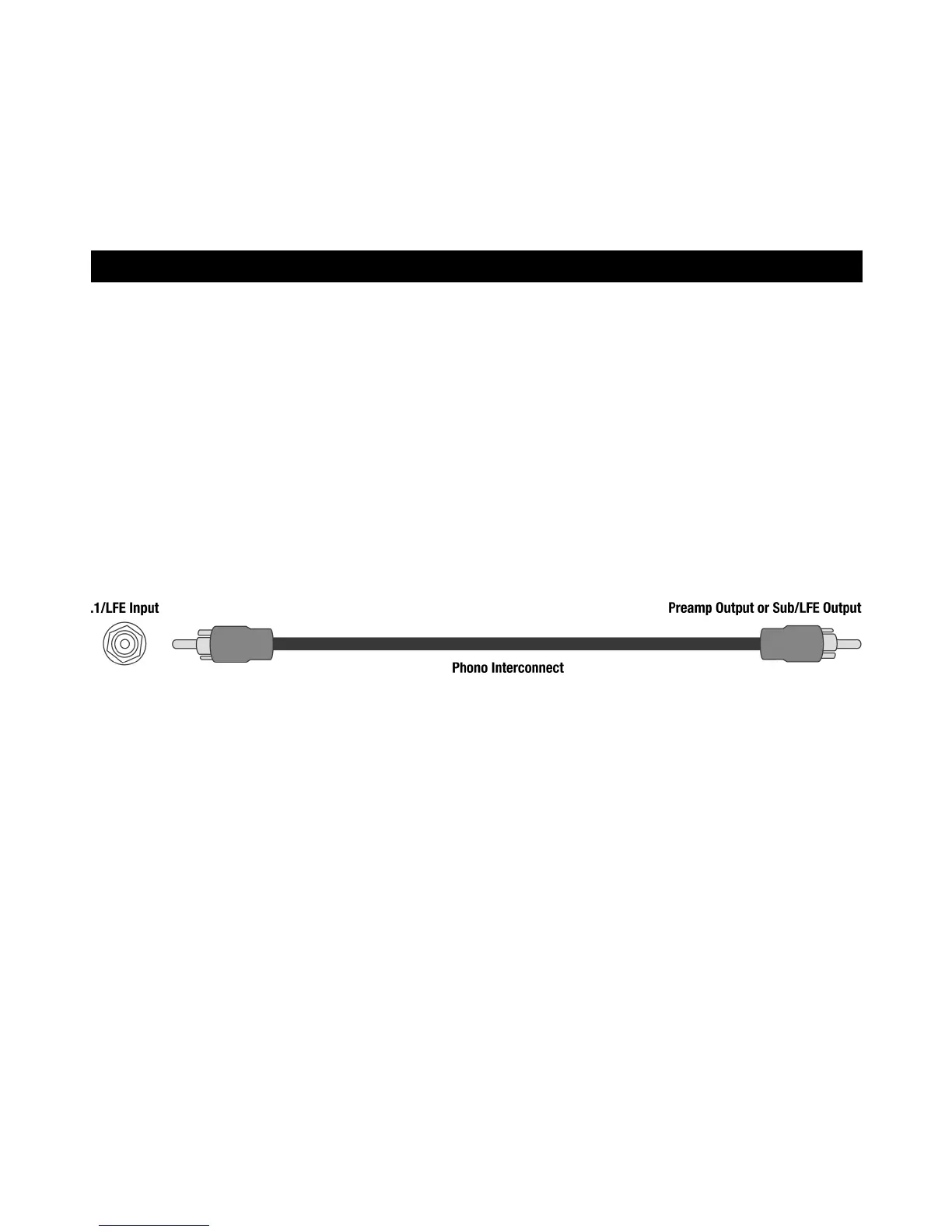
Connect RCA cable from Sub Out of theater processor to LFE input of SerieHT.
• Adjust LEVEL control to 10 o’clock.
• Adjust CROSSOVER control to LFE (maximum).
• Plug in AC cord.
• Power on with switch next to AC input.
• Set toggle below STATUS light to ON.
• Fine tune LEVEL control using a known powerful .1 chapter to make sure your seng is not too high or
damage can occur.
• Set CROSSOVER control lower to eliminate upper bass boom.
REL Set-Up Made Simple



 To Next Page