13
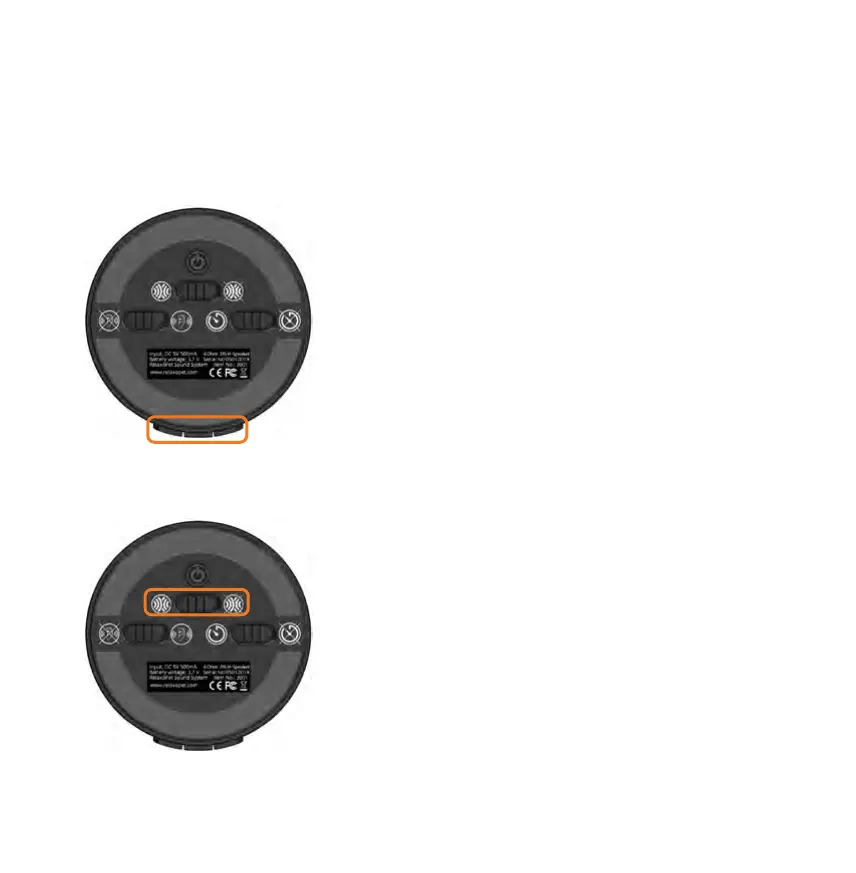
The sound module | function switches
RelaxoPet
©
PRO Animal Relaxation Trainer at a glance
Side control panel
With (+) the volume increases, with (-) the volume reduces.
When starting, the medium volume is preset. When starting
after the pause function, the unit switches to the preset
volume.
NOISE-MOTION start | stop:
1.activate NOISE-MOTION (replaces the On/Off-
function)
2. mode selection (audible / silent)
3. deactivate NOISE-MOTION when not in use anymore
In NOISE-MOTION mode, the two microphones are
activated for the Room surveillance.
As soon as the integrated microphones have detected a
preset sound threshold, RelaxoPet
©
PRO switches itself on
automatically for 30 minutes.
► red LED pulsating= monitoring
► continuous red LED = in operation
► blue LED pulsating = silent mode
► continuous blue LED = audible mode


 To Next Page