15
The sound module
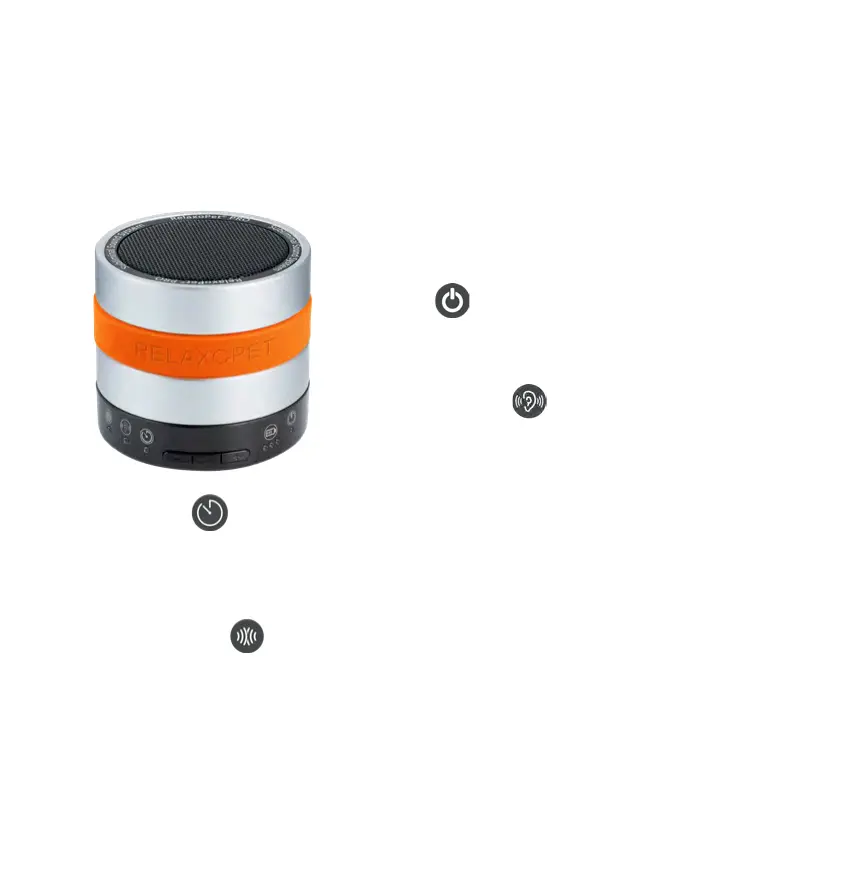
LED-functions
The new product version RelaxoPet
©
PRO has a large
number of optical displays on the device side.
Power LED
The white LED indicates, that RelaxoPet
©
PRO is in
operation
Mode selection LED
The blue LED (permanent) indicates, that RelaxoPet
©
is
operating in audible mode and ashes in inaudible mode.
PRO-Timer LED
The yellow LED indicates, that RelaxoPet
©
PRO is in timer mode. After 4 hours of operation,
RelaxoPet
©
PRO automatically switches to pause mode.
When the NOISE-MOTION sensor is activated, the red LED pulsates and automatically switches
to the room detection after the timer has elapsed.
NOISE-MOTION LED
The red LED indicates, when RelaxoPet
©
PRO is in NOISE-MOTION mode. The red LED pulsates,
when the microphones are activated, the sound module remains silent. Only when the micro-
phones detect noise (default DB), the sound module automatically turns on for 30 minutes and
the red LED lights up permanently.
Read the detailed explanation of the NOISE-MOTION operation (see page 17).
Do not cover the sound module or the speaker during the application!


 To Next Page