24
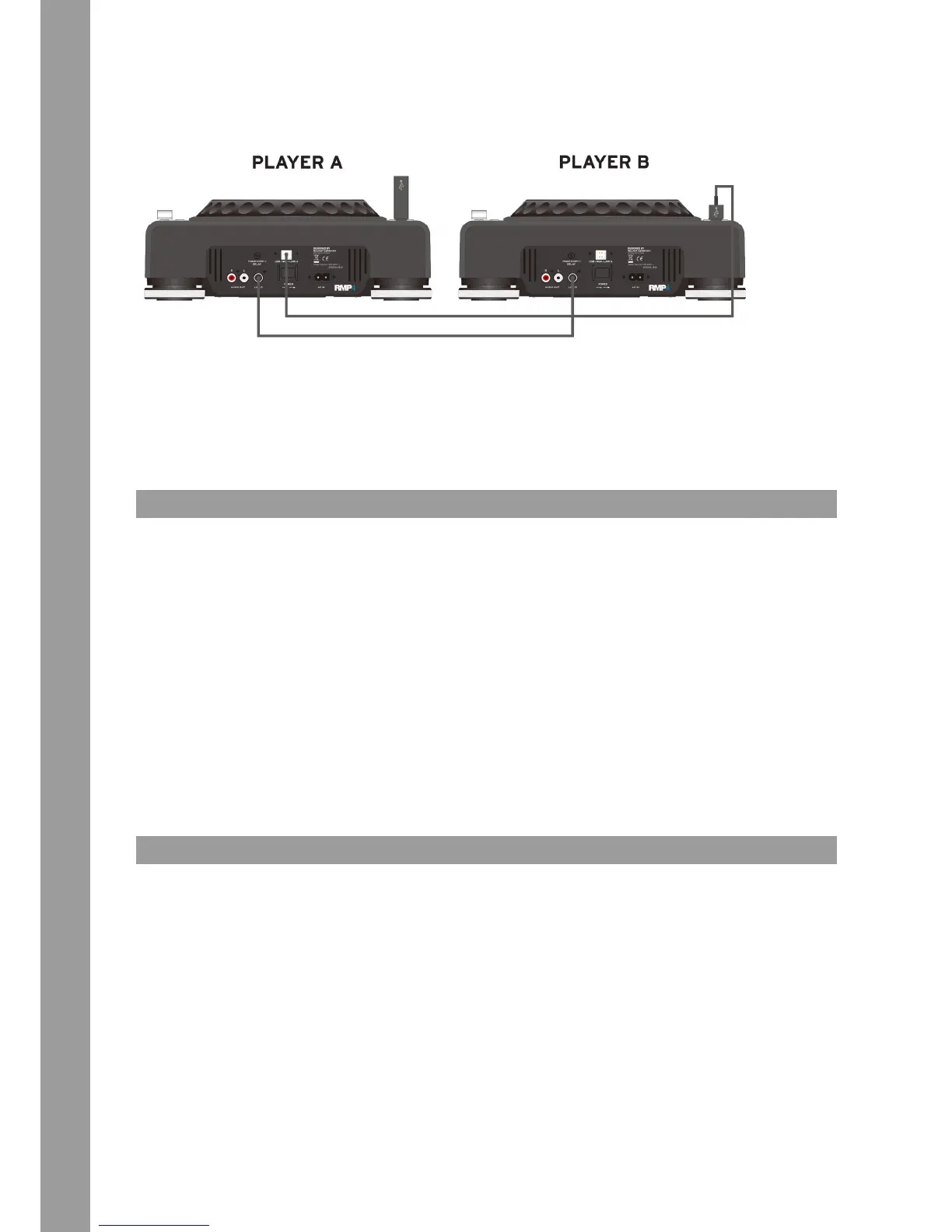
Link Cable
USB Cable
1. Connecting Two RMP-4 Players for the Audio Link Mode
Player A (Master) = RMP-4 connected to the USB data carrier
• Connect the USB data carrier to the upper USB port -12-.
• Connect the USB data port -38- on the rear of the rst player to the USB media port -12- of the second player.
NOTE!
It is recommended to use a USB cord which should have a length of no more than 1 meter.
Now you can access the USB drive of the rst player (master) by using the second player in USB mode.
NOTE!
Pleas also refer to the chapter “Submenu“, item A Playlist regarding sorting and search functions.
TROUBLESHOOTING
If you should encounter any kind of trouble with the RMP-4 please check the following chart for the corrersponding symptoms and follow the
instructions that are listed.
Symptoms
• No power when activating the power ON/OFF switch.
• The CD replay does not start.
• No sound.
• CD skips.
• Humming sound.
Possible cause
• Poor mains plug connection.
• The CD is upside down in the tray or it is soiled.
• Output cable is wrong or not correctly connected, wrong amplier or mixing console operation.
• The CD player is continuously exposed to vibrations and shocks for longer than 20 seconds.
• Loose cable connections.
Corrective Measures
• Check the mains plug connection.
• Insert the CD with the label showing upwards.
• Check the output cords‘ connections and the settings of your amplier and mixer respectively.
• Install your system in another location.
• Check all sound plugs.
TECHNICAL INFORMATION
Global Distribution GmbH did not check the following manufacturer‘s data for plausibility and accuracy:
Frequency response: CD: .............. 17 Hz - 20 kHz / USB: 17 Hz – 16 kHz
Channel separation: ...................... 85 dB
S/N ratio: ......................................... 90 dB
D/A converter: ................................ 8-fold/1 Bit
MP3 Formats: ................................. MPEG 1 Layer 3 standard
MPEG 2 Layer 3 standard
MPEG 2.5 Layer 3 standard
Maximum MP3 folders: ................. CD: 255 / USB: 999
Maximum MP3 les: ...................... CD: 999 / USB: 999 (each folder)
Dimensions: .....................................320 x 112.6 x 340.5 mm
Weight: ............................................. 3.91 kg



 To Next Page