Getting Started
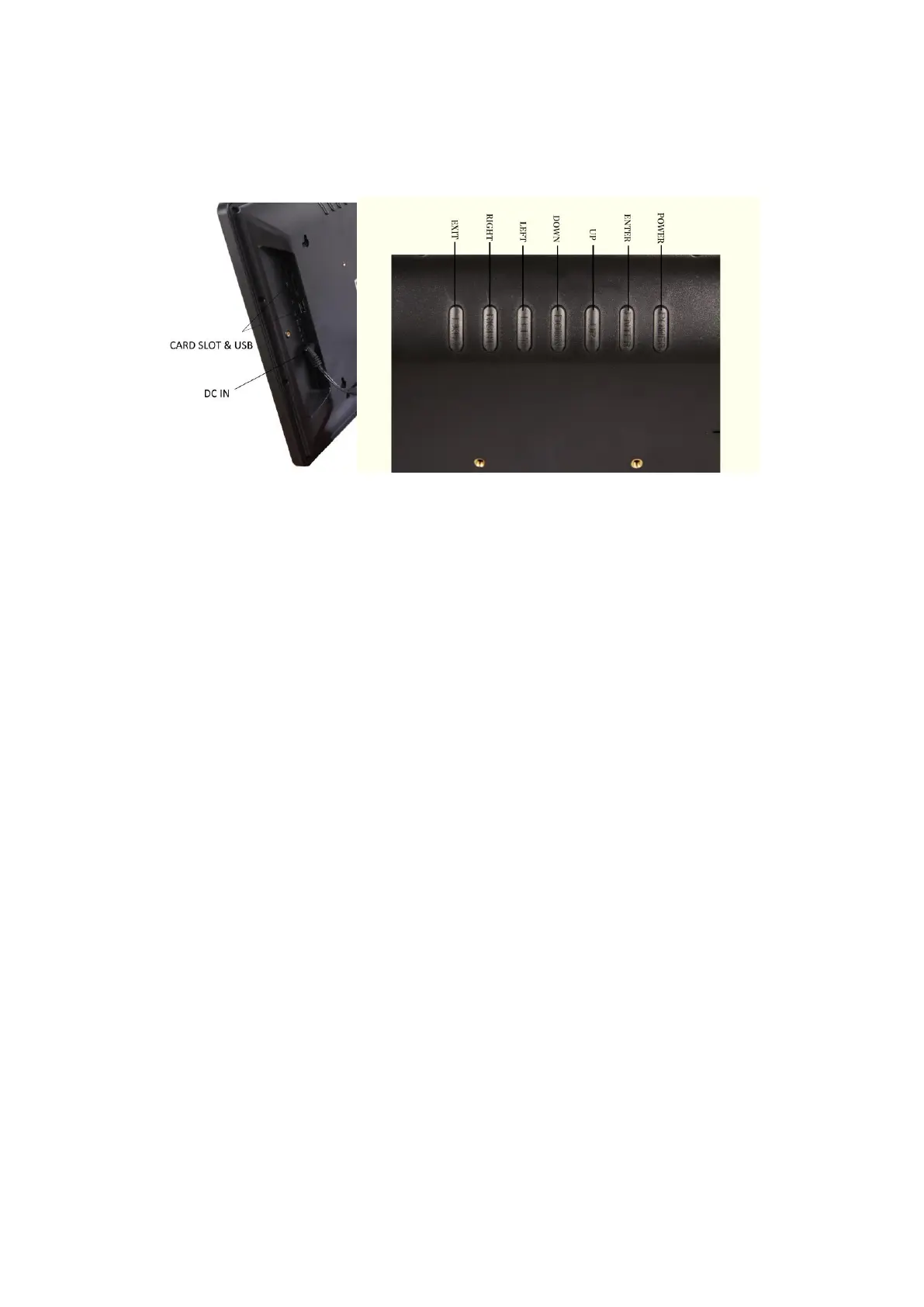
DC IN & CARD SLOT BUTTONS
First Time Set Up:
To power on your Care Clock simply plug the clock into your chosen power supply, you will
find your Care Clock will power on and you will be able to select, using the UP and DOWN
buttons on the rear of the frame and pressing OK, the appropriate language.
To access the settings menu press Exit button, to exit the setting at anytime press Exit
buttons again.
Please Note: Settings can only be amended when the corresponding line is highlighted,
which will be in brackets and underlined, please press the Enter button then use the UP
or DOWN button to highlight the line to apply changes. Press the LEFT or RIGHT button
to underline the text for any changes. When underlined, please press the Enter button then
use the UP or DOWN button to change.
2



 To Next Page