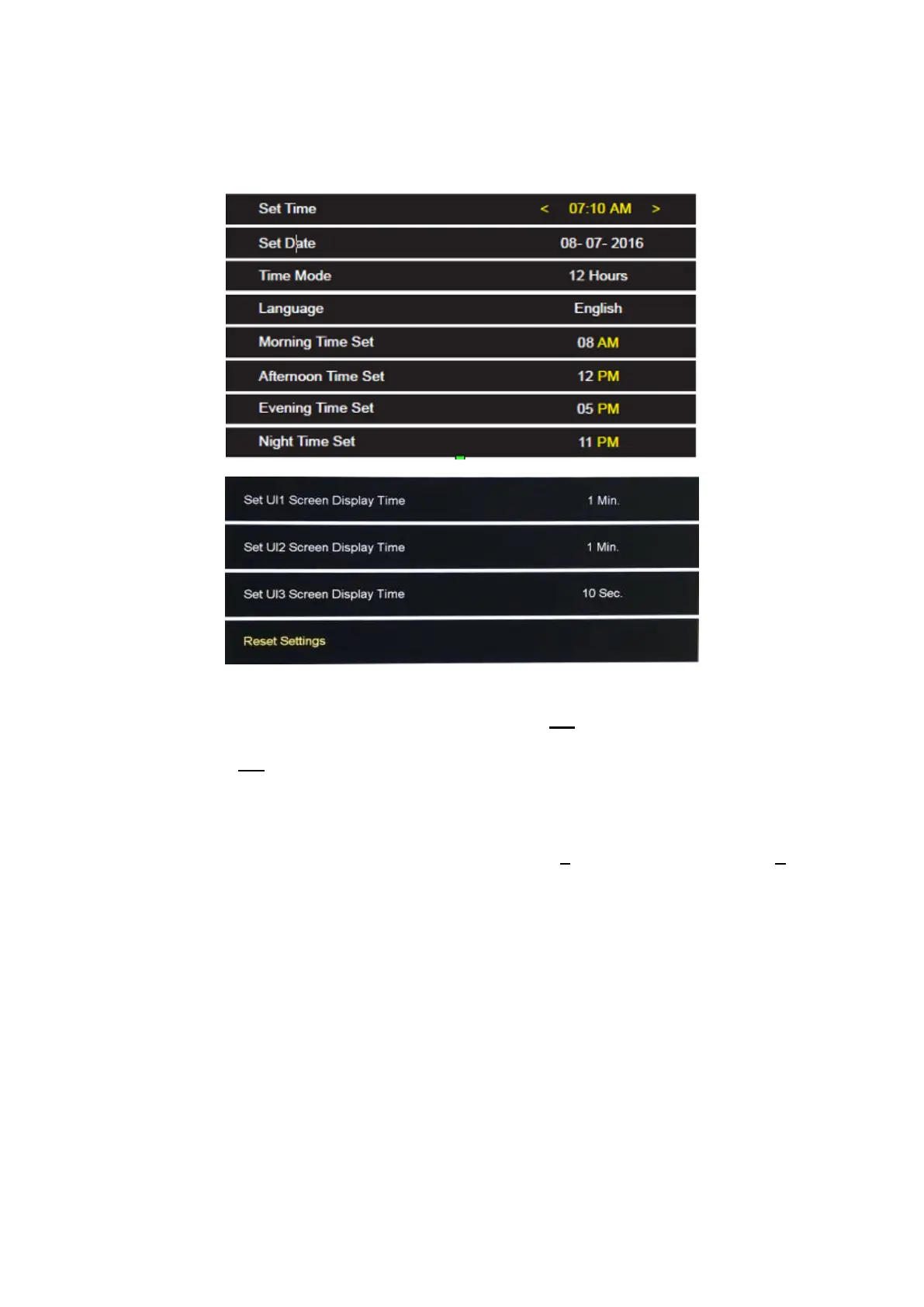
Settings
Set Time:
Press LEFT or RIGHT button to underline the hour <07 : 10 > change the hour by
pressing UP or DOWN button. Then press the LEFT or RIGHT button to highlight the
minutes < 07 : 10 >press the UP or DOWN button to adjust. To exit press the Exit
button.
Set Date:
Press buttons LEFT or RIGHT to highlight the Day: <08 - 07 - 2016 > or <07 - 08-
2016> press UP or DOWN button to adjust. Changing Month/Year when underlined.
To exit press the Exit button.
Time Mode: 12 hr or 24 hr
Select the preferred mode by pressing the LEFT or RIGHT button. To exit press the
Exit button.
Language:
Select preferred language by pressing LEFT or RIGHT button. To exit press the Exit
button.
3


 To Next Page