7
Fitting and Removing Fixed/Adjustable Combs: To Fit
• Hook the front of the guide comb over the teeth of the T-blade
• Press the back of the guide comb down until it clicks into place.
Fitting and Removing Fixed/Adjustable Combs: To Remove
• Lift the tab on the back of the guide comb upwards until it comes free
from the T-blade.
GROOMING TIPS
• Comb facial hair with a fine comb before you start trimming.
• Comb your hair in the direction that it grows so that the hairs are at
their maximum height and facing in the same direction.
• Since all hairs do not grow in the same direction, you may want to try
different trimming positions (i.e. upwards, downwards or across) for
better results.
• Hair should be dry and free from any waxes or lotions.
• If hair builds up during use, switch the unit off, remove any attachment
in use and clean any excess hair clippings from the attachment and
groomer.
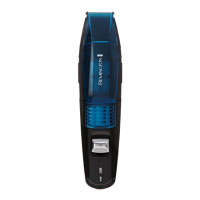
Beard Styling and Maintenance:
1. Fit the T-blade and desired comb.
2. Use the dial on the adjustable comb, or select a fixed comb for the
desired length setting.
3. Start trimming under the chin following the line of the jaw.
4. Work upwards towards the ear and upper beard line.
5. Tidy the beard edges using the precision T-blade or micro detail blade.
• Note: Use the beard trimmer without the combs for trimming hair
close to the skin. This will trim hair to 1mm, holding the blades
perpendicular to the skin will trim hair to 0.4mm.
Fine Detailing, Contouring and Edging:
1. Fit the desired blade (without a comb) in whichever orientation that
gives the best access.
2. Start with the blades resting lightly against your skin, use motions
towards edge of beard line to trim to desired locations in facial area.
3. Shape as desired.


 To Next Page
 Loading...