Need help?
Do you have a question about the Remotec ZXT-120 and is the answer not in the manual?
Overview of the ZXT-120 as a Z-Wave to IR extender for air-conditioners, discussing FLIRS and Always Listening modes.
Utilizes a built-in library for popular air conditioner brands, simplifying setup.
Instructions for powering the device via USB or batteries and installing batteries.
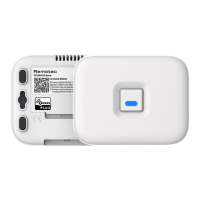
Identifies major parts like the temperature sensor, PROG button, and power ports.
Steps to include the unit into a Z-Wave network and configure IR codes.
Details on parameter numbers, definitions, and their corresponding values for configuration.
Procedure to change the device's listening mode from FLiRS to Always Listening and vice-versa.
How to select the correct IR code for the air conditioner using configuration commands.
Step-by-step guide to learn specific IR codes from an original remote.
Instructions on how to reset the ZXT-120 to its default factory settings.
Safety guidelines and precautions for mounting the ZXT-120 on a wall.
Details on the device's wireless range and factors affecting it.
Recommendations for cleaning and maintaining the ZXT-120.
Comprehensive list of technical specifications including model, frequency, and dimensions.
List of accessories to check upon opening the product package.
Information regarding compliance with FCC rules and regulations.
Critical safety warnings related to fire, electrical shock, and burns.
Cautionary advice regarding battery replacement and disposal.

 To Next Page

 General