4
1. When C
harging
● Red LED: Charging
● Blue LED: Fully Charged
2.
Blue
tooth Pairing
● Red LED: Unpaired
● Flashing red and blue LED: Pairing
● Blue LED: Paired
3.
Batt
ery Status (Shows only when the device turns on)
● 100% ~ 76%: Red LED ashes 4 times
● 75% ~ 51%: Red LED ashes 3 times
● 50% ~ 26%: Red LED ashes 2 times
● 25% ~ 5%: Red LED ashes 1 time
● Below 5%: Red LED ashes 10 times
4.
Batt
ery Status when being used
● Below 5%:
The d
evice turns off after red LED ashes 10 times
in 0.2 second interval.
3. LE
D Status Indicator
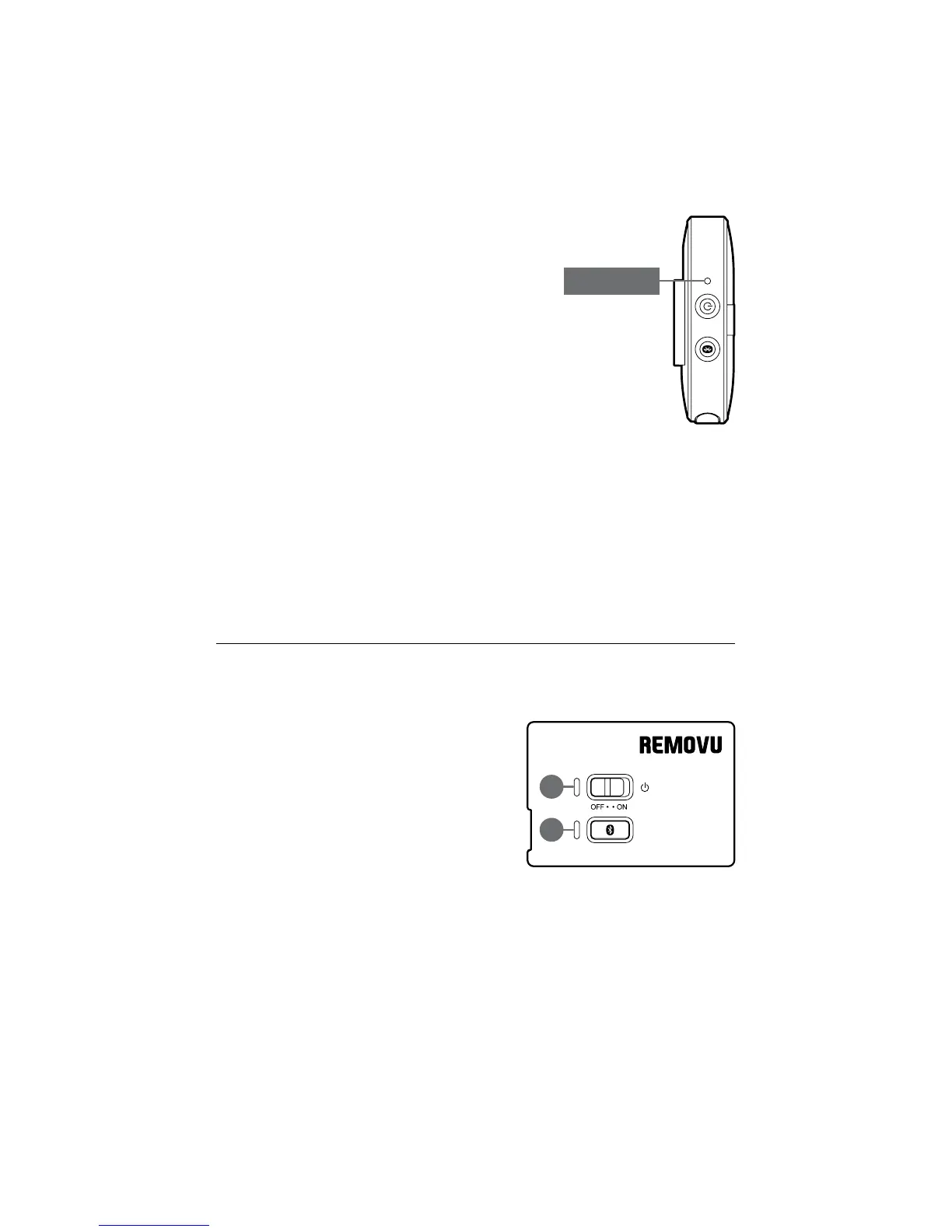
REMO
VU M1
REMOVU A1
1
.
L
E
D
1
: Battery Status Indicator
● Red LED: Charging
● Blue LED: Fully Charged
2.
L
E
D
2
: Bluetooth Status Indicator
● Red LED: Unpaired
● Flashing red and blue LED: Pairing
● Blue LED: Paired
● Red + Blue LED: Audio Amplication Mode
3.
B
a
t
t
ery Status (Shows only when the device turns on)
● 100% ~ 76%: Red LED ashes 4 times
● 75% ~ 51%: Red LED ashes 3 times
● 50% ~ 26%: Red LED ashes 2 times
● 25% ~ 5%: Red LED ashes 1 time
● Below 5%: Red LED ashes 10 times
4.
B
a
t
t
ery Status when being used
● Below 5%:
T
h
e
d
evice turns off after red LED ashes 10 times
in 0.2 second interval.
1
2
Statu
s LED


 To Next Page