
 Need help?
Do you have a question about the Renaissance Learning NEO 2 and is the answer not in the manual?
Contact details for Renaissance Learning in the US.
Contact details for Renaissance Learning in the UK.
Contact details for Renaissance Learning in EMEA.
Contact details for Renaissance Learning in APAC, Canada, LATAM.
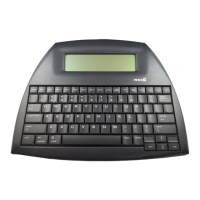
Identifies and describes the physical parts of the NEO 2 device.
Step-by-step guide for installing NEO Manager on Windows OS.
Step-by-step guide for installing NEO Manager on macOS.
Instructions for connecting one NEO 2 device to a computer.
Guide for connecting multiple NEO 2s using a SmartOption Mobile Lab.
Steps to connect the Renaissance Receiver to a computer.
How to set a unique network name for the receiver.
Configuring Renaissance Place address for specific SmartApplets.
Explanation of what SmartApplets are and their purpose.
Lists the SmartApplets that come pre-installed on the NEO 2.
Steps to launch the Responder SmartApplet.
How to use NEO 2 with AccelTest software.
How to use NEO 2 with the 2Know! Toolbar.
Prerequisites for using Accelerated Reader SmartApplet.
Guide for students taking quizzes via AR SmartApplet.
Prerequisites for using MathFacts RP SmartApplet.
Instructions for students using MathFacts RP at school.
How to practice or test at the current level.
How to practice or test at a previously mastered level.
Method for answering questions in practice or test modes.
Steps to open the offline MathFacts SmartApplet.
Guide for practicing levels or taking tests.
How to view history for levels or all work.
Options for managing practice history.
Steps to launch the KeyWords Wireless SmartApplet.
Methods to add students to KeyWords Wireless via NEO Manager.
Steps to manually add student names in NEO Manager.
How students add themselves or are added in online mode.
Guide for students to begin KeyWords lessons.
Section on learning new keyboard keys.
Section on improving accuracy and speed.
Section on taking typing proficiency tests.
Process for students to send work data to the teacher.
Information about the KeyWords post-test.
How students access their progress reports.
How teachers view student progress from a single NEO 2.
 General
| Brand | Renaissance Learning |
|---|---|
| Model | NEO 2 |
| Category | Server |
| Language | English |

 To Next Page
