ECO-DRIVING (1/2)
Depending on the vehicle, you will have
various functions which enable you to
lower your fuel consumption:
– the rev counter;
– the gear change indicator;
– the driving style indicator;
– the journey record and eco-driving
advice via the multimedia display;
– ECO mode – activated by the ECO
button.
If fitted on the vehicle, the navigation
system provides additional information.
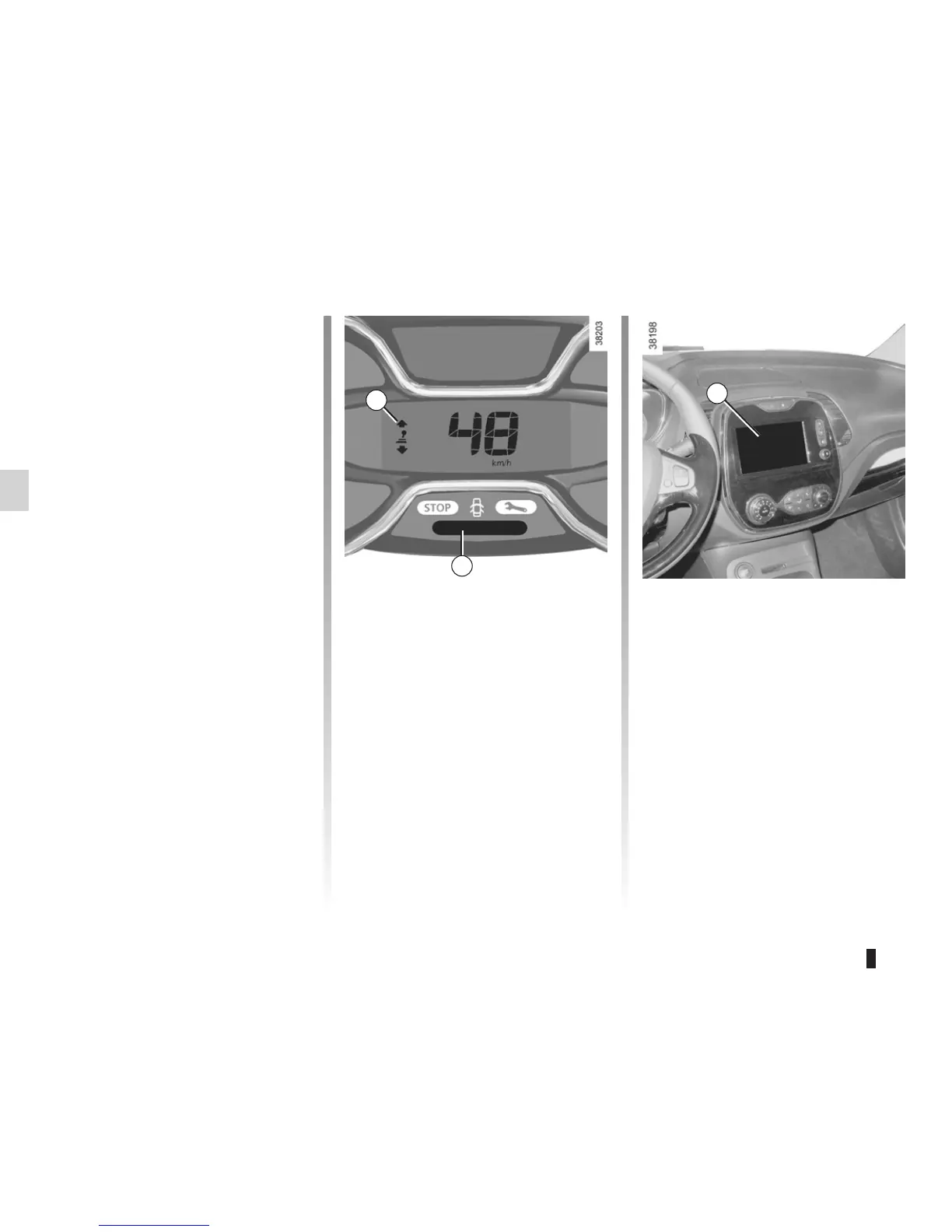
Gear change indicator 1
Depending on the vehicle, to obtain op-
timum consumption levels, a warning
light on the instrument panel lets you
know the best time to move up or down
a gear:
Š move up a gear;
‰ move down a gear.
Driving style indicator 2
Informs you about the driving style
adopted in real time. You will be notified
by the colour of warning light 2.
– Green: measured, economical driv-
ing;
– Yellow: opt for a calmer driving style;
– Orange: driving too fast.
The driving style indicator is activated
by default. If you wish to deactivate it,
please see the multimedia system in-
structions.
Journey record
Once the engine is switched off, you
will see “Journey record” displayed on
the screen 3, enabling you to view in-
formation relating to your last journey.
This indicates:
– average fuel consumption;
– total consumption;
– number of miles/kilometres travelled;
– number of miles/kilometres saved.
An overall statement on your eco-driv-
ing performance is displayed, along
with three indices detailing: the results
for the gear changes, acceleration
management and the management of
your anticipation and braking.
1
3
2














 To Next Page