2-4
[AUX source input checking]
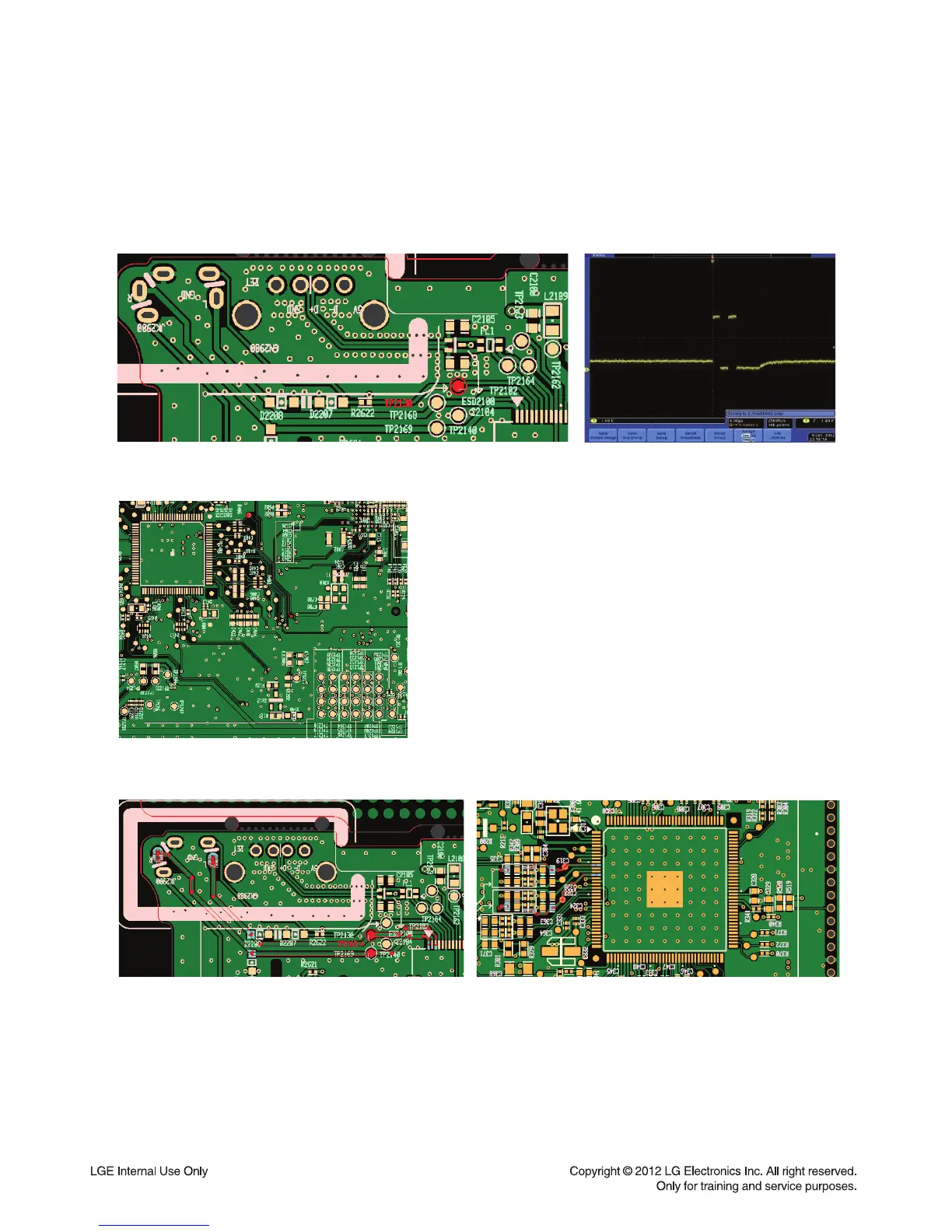
1. Check front PCB TP2130 (Detect signal)
→ If it is failed, check AUX connector.
2. Check MAIN PCB. (Detect signal)
3. Check AUX Left, Right signal. (front : TP2168, TP2169 / MAIN : C319, C324)
4. If there are different signals between front & MAIN.
→ Check 40pin cable.
• AUX SOURCE CHECKING


 To Next Page