5
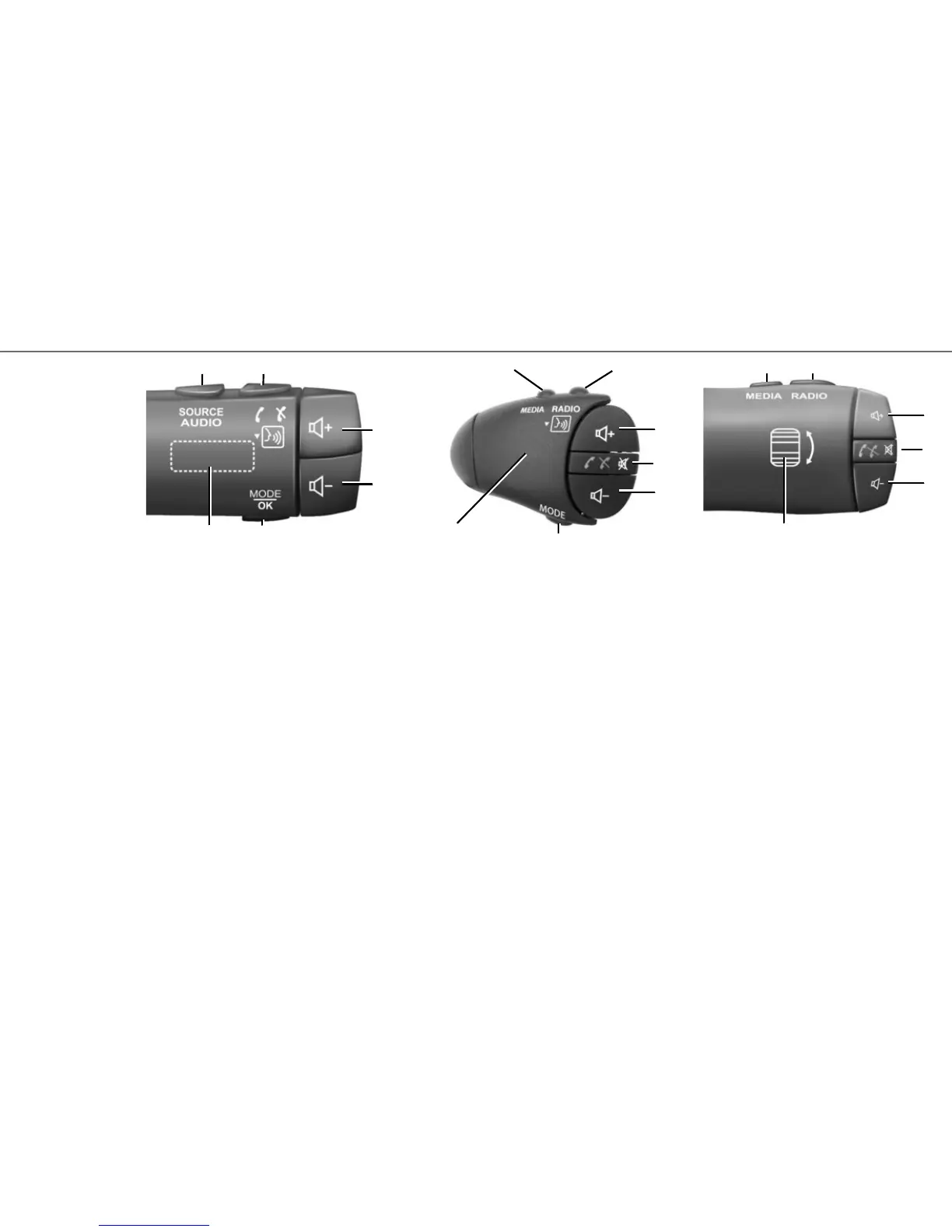
Steering column controls
23 Choose audio source (FM / AM / DAB / USB /
iPod® / Bluetooth® / AUX).
24 Tap: access the “Phone” menu.
Press and hold: activate/deactivate your tele-
phone’s voice recognition function.
When receiving a call:
– short press: answer the call;
– long press: reject the call.
Brief press during a call: end call.
25, 26 Adjust the volume.
25+26 Mute/unmute the sound;
FIRST USE (3/3)
27 Change the playback mode of the radio stations
or the media (USB / iPod®) currently in use.
28 Rear dial:
– radio: change radio mode (preset/list/fre-
quency);
– media: previous/next track.
29 Change media (CD / USB / AUX).
30 Tap: change radio mode (FM /AM /DAB).
Press and hold: activate/deactivate your tele-
phone’s voice recognition function.
23 24
25
26
27
29 30
31
32
33
27
28
28
31
32
33
34
29 30
31, 33 Adjust the volume.
32 Listening to an audio source: mute/unmute.
When receiving a call:
– short press: answer the call;
– long press: reject the call.
Brief press during a call: end call.
34 Rear dial:
– radio: change radio mode (preset/list/fre-
quency);
– media: previous/next track.
Short press: confirm an action.



 To Next Page