PART# 98-3200 REV.B
PAIRING YOUR DEVICE TO THE
BLUETOOTH® ENABLED MIRROR*
CARE AND MAINTENANCE
4
5
*Only available with model Melody 200156, Symphony 200157
• The best and safest cleaner for a mirror is clean, warm water used
with a soft cloth. Be careful not to allow the edges of the mirror to
get or remain wet over a period of time.
• If using a commercial glass or mirror cleaner, be sure to use a
standard brand of glass or mirror cleaner that does not contain
ammonia or vinegar.
Never spray any cleaner directly on to a mirror. Instead, apply the
cleaner to a soft cloth and then wipe the mirror.
• Always use soft, grit-free cloths when cleaning a mirror to reduce
chances of scratching the surface.
• Be sure to dry all joints and edges thoroughly to be certain that no
commercial cleaner comes in contact with the edges and backing.
Before you begin:
Make sure your illuminated mirror has power
Step 1
Turn on your device, and ensure any Bluetooth® / wireless switches
are in the ‘on’ position. On your device, trigger any option given to
search for Bluetooth® devices (often found in Bluetooth® settings or a
Bluetooth® app).
Step 2
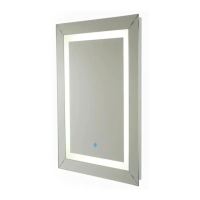
Hold down the Bluetooth® button on the front of the mirror (model
200156 Melody or 200157 Symphony only) for 5 seconds or until you
hear the chime. This will begin the pairing process.
Step 3
If your attempt was successful, you will see the Bluetooth® mirror
model “Symphony or Melody” listed on your device. Click on the
listed mirror model. You may be asked to confirm your pairing by
entering or checking a code; do so. After this, your Bluetooth®-
enabled devices should be paired.
INSTRUCTION MANUAL | HARDWIRED LED ILLUMINATED MIRROR | ENGLISH | 7


 To Next Page