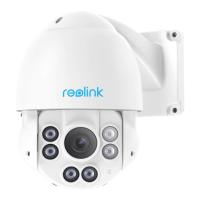
This document serves as a Quick Start Guide for the Reolink B800W camera, providing essential information for setup, usage, and troubleshooting.
Function Description
The Reolink B800W is a bullet-style camera designed for video surveillance, intended to be used in conjunction with a Network Video Recorder (NVR). It features a high-definition lens, IR LEDs for night vision, and a spotlight. The camera is equipped with a built-in microphone and speaker for audio capabilities. It connects to an NVR via Ethernet and can also establish a wireless connection to the NVR's WiFi after an initial wired synchronization. The camera is designed for both indoor and outdoor use, with IP waterproof ratings allowing it to operate in conditions like rain and snow. Remote access to the camera's feed is possible via the Reolink App on smartphones or the Reolink Client on PCs, provided the NVR is connected to a router.
Important Technical Specifications
- Model: B800W
- Operating Temperature: -10°C to 55°C (14°F to 131°F)
- Operating Humidity: 10%-90%
- Dimensions: Φ67 x 187mm
- Weight: 485.7g
- Connectivity: Network Port (Ethernet), WiFi (5150-5250 MHz restricted to indoor use only in EU/UK)
- Power: 12V power adapter (included with NVR, not camera)
- Reset Button: Available to restore device to factory settings (press for ~10 seconds).
- IP Rating: Waterproof, suitable for rain and snow conditions (not for underwater use).
- Wireless Operating Frequency:
- 2.4 GHz EIRP < 20dBm
- 5 GHz EIRP < 20dBm
- 5.8GHz EIRP < 14dBm
- Compliance: FCC, ISED, CE, UKCA.
Usage Features
The camera is designed for easy integration with a Reolink NVR.
- Initial Setup: The camera is initially connected to the NVR's LAN ports via Ethernet cables for synchronization. Once synchronized, it can connect wirelessly to the NVR's WiFi.
- Remote Access: After connecting the NVR to a router, users can access the camera feed remotely via the Reolink App (available on App Store and Google Play) or the Reolink Client software for PC.
- Mounting: The camera comes with a mount and a mounting hole template for installation. It is recommended to install the camera within the NVR's signal range.
- Audio: Equipped with a built-in microphone and speaker for two-way audio communication.
- Night Vision: Features IR LEDs for clear imaging in low-light conditions.
- Spotlight: Provides additional illumination when needed.
- Daylight Sensor: Automatically adjusts camera settings based on ambient light.
- Reset Function: A reset button allows users to restore the device to factory settings, which can be useful for troubleshooting or if the password is forgotten.
Maintenance Features
- Lens Cleaning: It is recommended to clean the lens with a soft cloth periodically to ensure optimal image quality.
- Power Port Protection: Ensure power ports are not directly exposed to water or moisture and are not blocked by dirt or other elements to prevent damage.
- Environmental Considerations: While the camera has IP waterproof ratings for rain and snow, it should not be submerged in water. Avoid installing the camera where rain and snow can directly hit the lens.
- Cold Weather Operation: For extreme cold conditions (as low as -10°C), it is suggested to power on the camera indoors for a few minutes before outdoor installation, as the camera generates heat when powered on.
- Troubleshooting: The guide provides solutions for common issues such as the camera not powering on (check IR LEDs, use 12V power adapter), incorrect account name or password (modify in NVR settings, reset camera), or the camera not being assigned to a channel (assign in NVR settings, delete offline cameras if all channels are in use).
- Firmware Updates: While not explicitly detailed in this quick start guide, Reolink typically provides firmware updates to enhance performance and security.
- Warranty: The product comes with a 2-year limited warranty, valid if purchased from the Reolink Official Store or an authorized reseller. Support and warranty information can be found on the Reolink website.

 Need help?
 General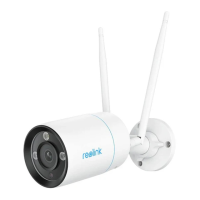

 To Next Page