Reolink Wireless Camera
User Manual
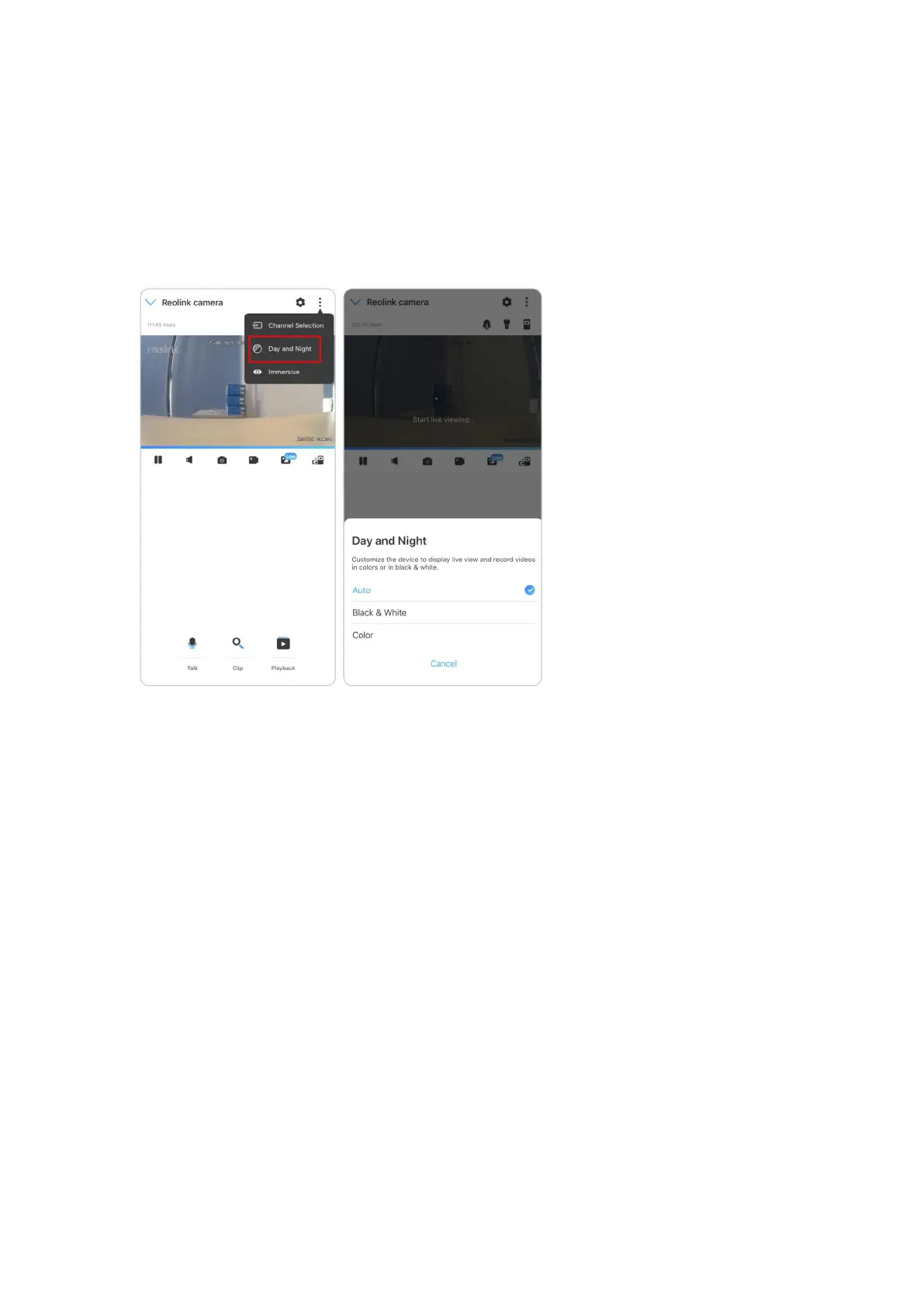
Day and Night
Set the camera’s color mode during different times of the day and night.
-Color: The camera will capture color images that usually appear during the day.
-Black & White: The camera will capture black-and-white images that usually
appear during the night with the IR LEDs on.
-Auto: The camera will automatically switch between Color and Black & White
modes according to the light conditions.
Use Immersive Mode
The immersive mode has a larger viewing area with less interference and focuses
on previewing. It is suitable for viewing 2 or 3 cameras on one screen.
Note:
One screen can accommodate up to three cameras. You could slip the screen to
preview other cameras.



 To Next Page
 Loading...