EnglishEnglish5 6
Connection Diagram
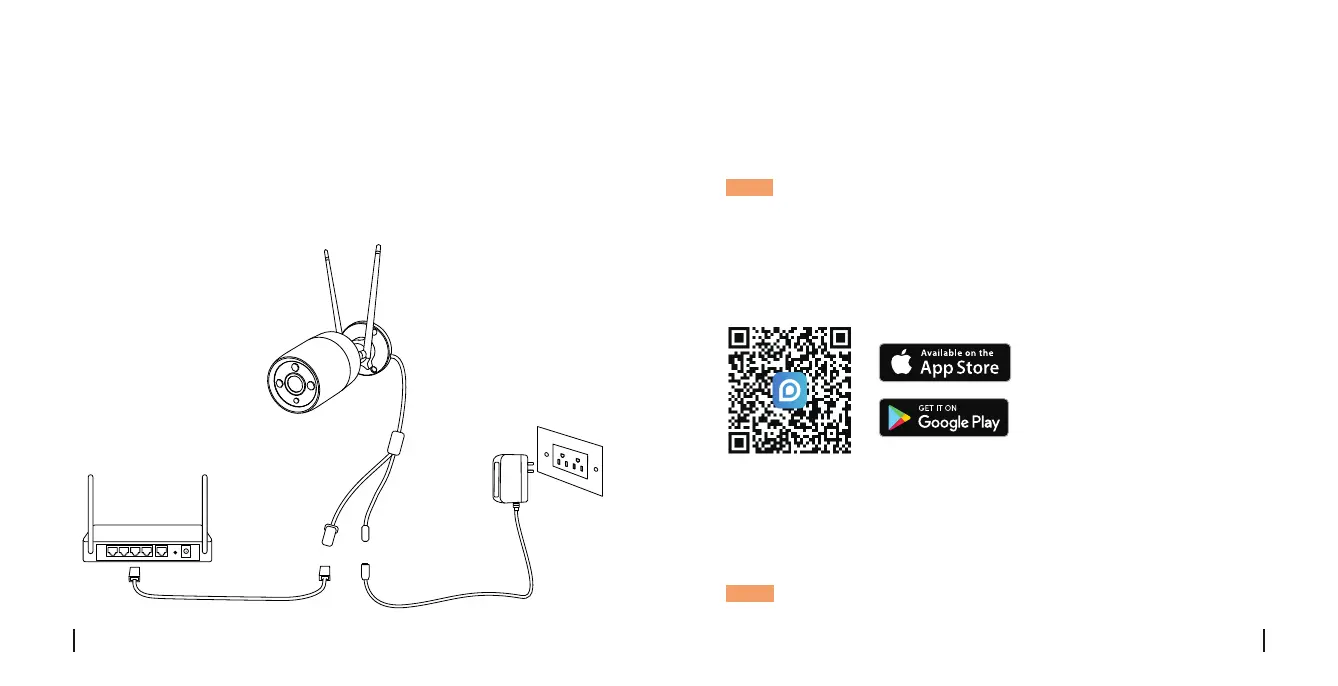
Before initial setup, follow the steps below to connect your camera.
1. Connect the camera to a LAN port on your router with an Ethernet
cable.
2. Power on the camera with a power adapter.
WiFi IP Camera
Router
Network Cable
Power Cable
Power Adapter
Set up the Camera
• On Smartphone
Scan to download the Reolink App.
• On PC
Download path of the Reolink Client: Go to reolink > Support > App &
Client.
NOTE: If you are connecting the camera to a Reolink PoE NVR,
please set up the camera via the NVR interface.
Download and Launch the Reolink App or Client software, and follow the
onscreen instructions to nish initial setup.
NOTE: You can now use WiFi instead of the Ethernet cable for network
connection.



 To Next Page
 Loading...