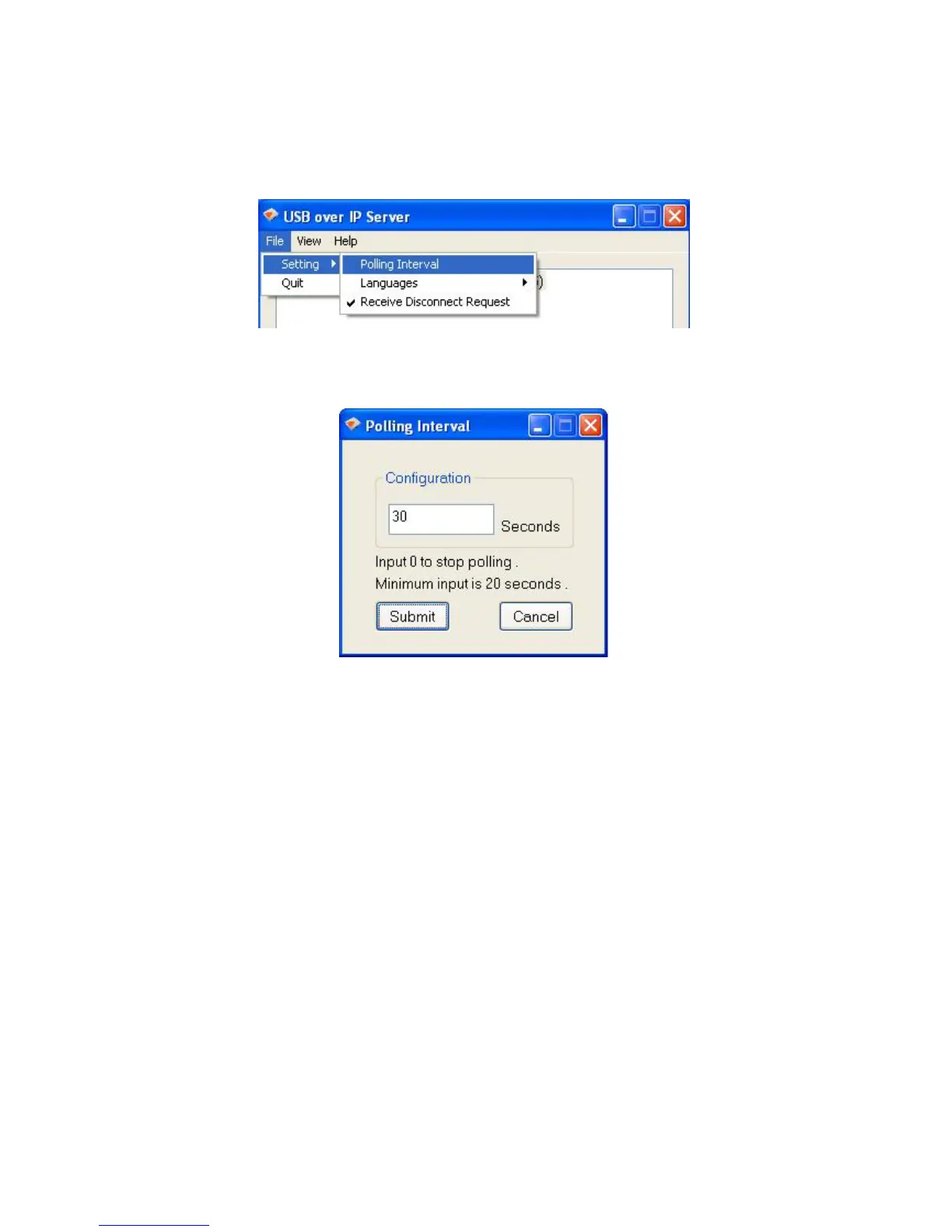
Setting the Polling Interval
1. The polling interval will allow the setup utility to pull information from your network to find
out the status of all connected Network USB over IP Server and USB devices. To
configure the polling interval, in the utility, click on File -> Settings -> Polling Interval.
2. You may set a number in the “Seconds” box. Click on “Submit” to allow the new interval
setting to take effect. Once you have set a number, the utility will automatically update
any changes made to server in the main dialog box.
Setting the Network USB over IP Server by Setup Utility
1. To configure the Network USB over IP Server by setup utility, right-click on the USB over
IP Server and select “Setting”.



 To Next Page