Guidance declaration
Charging the battery
13 14
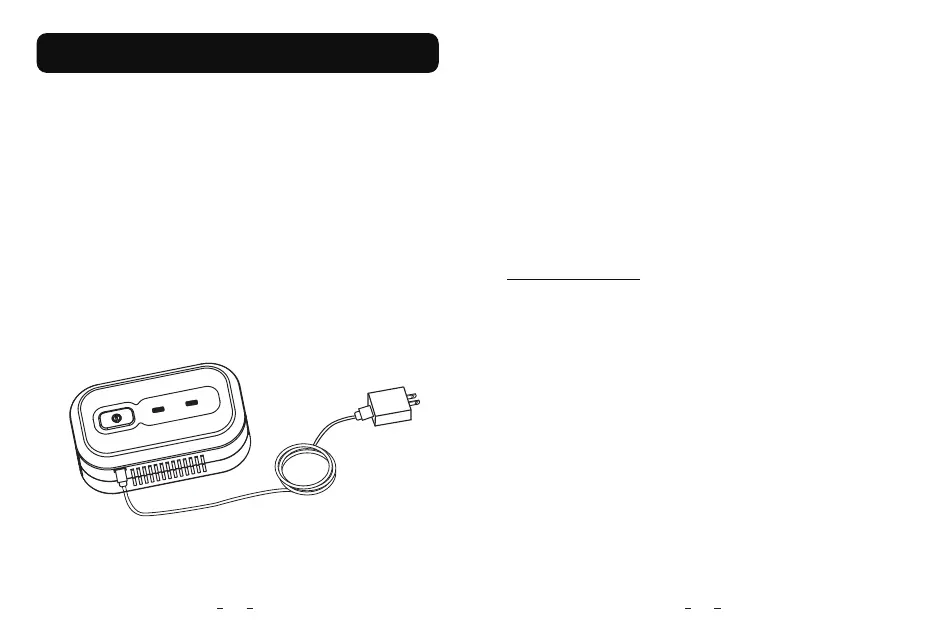
The Ventilation Disinfector includes built in rechargeable battery.To
charge the battery,connect the product as shown in the illustration.
Connect the USB cable to a charging port and power.A red light will
come on, to let you know it is charging correctly. The light will turn
green when the battery is fully charged.
Notice:
The USB interface on the device can be charged to the user’s device,
and there is no other function, please do not connect with other
devices.
For the best Lithium battery performance and battery life,power off
while charging, the product can run at least 4 full working cycles for
35 minutes per working cycle.
The time required to recharge the battery will vary depending on
the ambient temperature and the battery’s remaining capacity. If
the battery dies quickly even after being fully charged, the battery
has reached the end of its service life and the entire unit will need
to be replaced.
Low Power indication: When the battery is running low, the main
light will blink and you will hear a long buzzer sound. The disinfector
will continue to operate till the battery is completely discharged. The
unit may not have completed the entire 35 minute cycle so we
recommend charging the disinfector as soon as the light starts to
blink.



 To Next Page
 Loading...