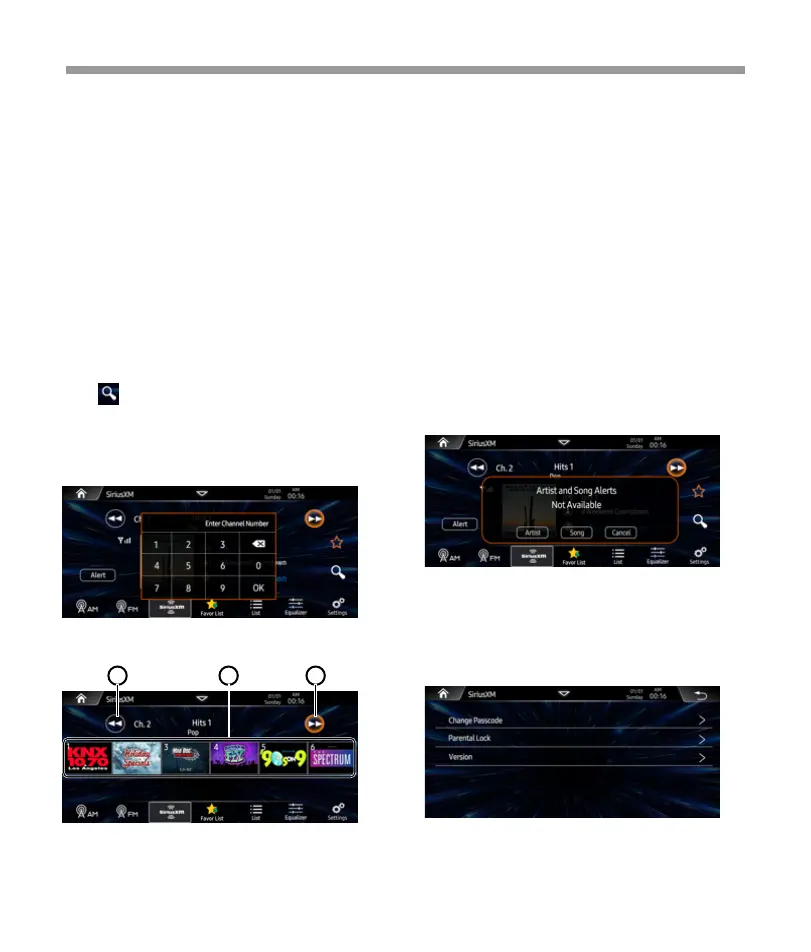
Press to shown the direct tune interface,
user can direct enter the channel number and
touch “OK” to go to the desire channel.
Press backspace to clear the pervious digit.
Direct Tune
Sirius XM
SXM settings
Favorites list
Artist and Song Alert
While listening to SiriusXM Satellite Radio, user
can mark Artists and/or Songs for which you
wish to be alerted. The radio will display an Alert
message when a matching artist or song is
found on another channel. Then user can
choose if you want to tune to that favorite or
user can ignore the alert and stay on your
current channel. To store an artist or song title,
touch on the "artist" or Song" metadata on the
display. User will then be prompted to set the
alert for the Artist or the Song Title. User will be
alerted when one of your stored artists or songs is
playing on another channel. If multiple alerts
happen at the same time, or the alert gets
dismissed, user can touch the ALRT button to
list the channels that are currently playing your
artist or song.
Tap “Artist” to alert current artist.
Tap “ Song” to alert current song.
Tap “Cancel” to dismiss the pop menu.
1. Tap to back to home page.
2. Tap to playback previous channel
3. Show current station ID
4. Show current station information.
5. Tap to playback next channel
6. Tap to store current station to favorite
list.
7. Tap to pop-up the keyboard and enter
desired channel number directly.
8. Tap to access the SXM settings page.
9. Tap to access to channel list.
10. Tap to access Favorite list page.
11. Show the signal strength: Excellent/
Good/ Weak/ No signal.
12. Tap to Alert current station’s Song/
Artist.
1. Tap to previous page favorite stations.
2. Tap to next page favorite stations.
3. Tap one station and back to playback page.
1 22
20


 To Next Page
 Loading...