Touch "
>
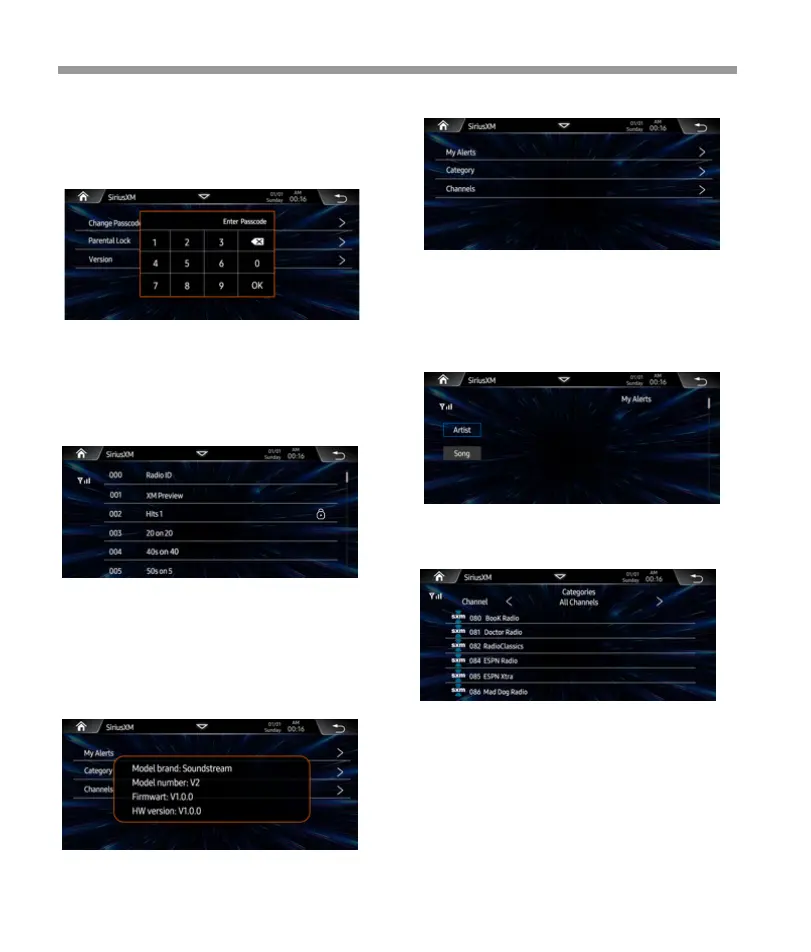
of the Change Passcode" to show the
below screen. Input the passcode by using the
keypad.
Sirius XM
SXM List
Parental Controls
Some SiriusXM channels contain mature content.
When the Parental Controls feature is enabled,
channels with mature content are restricted and
will require a 4-digit lock code to access.
Note:
Default passcode is “0000”
Version
Tap “ Version” to show the SXM detailed informa-
tion.
My Alert
Category List
Touch the “Category” for the Category list
Tap “ < / >” to select Category item, the channals will be
shown accordingly.
Change Pass Code
Press the My Alerts key to view all stored artist &
song title alerts.
Press Artist / Song to show the stored the alerts.
Tap the delete icon to delete it accordingly.
Channel List
Touch the “Channel” for the Category list
22


 To Next Page
 Loading...