iGo map Operation
4.1.4 Route calculation and recalculation
A route is a sequence of route events, that is, maneu-
vers (for example, turns and traffic circles) to reach
the destination. The route contains one starting
point and one or more destinations. The starting
point is the current (or last known) position by
default. If you need to see a future route, the starting
point can be replaced with any other given point.
Once the destination has been selected, Epsilon
Linux device calculates the route based on your
preferences. These preferences are the route
planning method and the road types used or
avoided when calculating the route. For detailed
information on all the preferences, see Route
preferences settings.
V2 device automatically recalculates the route if you
deviate from the proposed itinerary.
The following warning types are available:
You can also choose to see the speed limit sign on
the map all the time.
4.1.5 Smart Zoom
Smart Zoom provides the following features:
4.1.7 Intelligent navigation
With the help of intelligent navigation, the planned
route can adapt to traffic and other changes during
navigation. The following sections describe these
features.
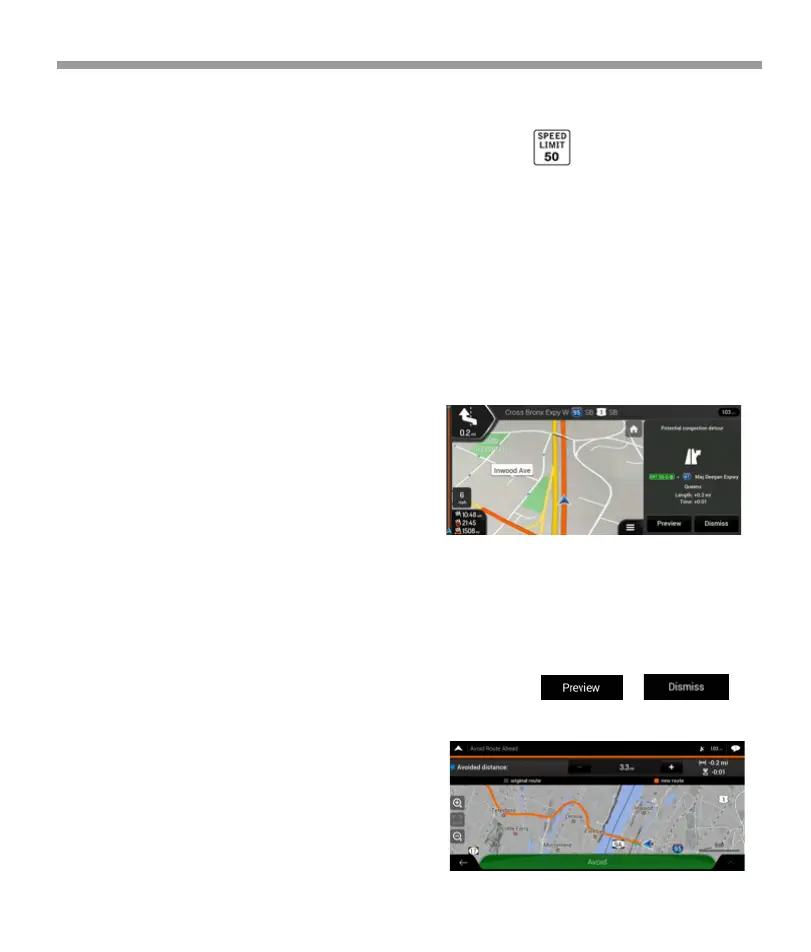
4.1.7.1 Congestion detour on highways
V2 device may offer a detour when you slow down
on a highway due to a traffic jam. The Potential
congestion detour window appears and shows the
length and duration of the detour.
4.1.7.1 Congestion detour on highways
V2 device may offer a detour when you slow down
on a highway due to a traffic jam. The Potential
congestion detour window appears and shows the
length and duration of the detour.
You can ignore this message and keep the original
route by tapping or you
can check the suggested route by tapping .
4.1.6 Speed limit warning
Maps may contain information about the speed
limits of the road segments. Epsilon Linux device is
able to warn you if you exceed the current limit. This
information may not be available for your region, or
may not be fully correct for all roads on the map.
Speed warning can be fine-tuned in Warnings.
You can also set the relative speed tolerance above
which the application initiates the warning.
* While following a route:
When approaching a turn, it zooms in and
raises the view angle to let you easily
recognize your next maneuver. If the next turn
is at a distance, it zooms out and lowers the
view angle to be flat so you can see the road in
front of you.
* While driving without a planned route:
Smart Zoom zooms in if you drive slowly and
zooms out when you drive at a high speed.
*Audio warning: You receive a verbal warning
when you exceed the speed limit with the
given percentage.
*Visual warning: The current speed limit is
shown on the map when you exceed it (for
example ).
64


 To Next Page
 Loading...