iGo map Operation
By tapping the plus/minus signs, you can increase or
decrease the distance to avoid on the highway. You
can accept the recommended detour by
tapping .
By tapping and , the
selected parking place becomes your destination.
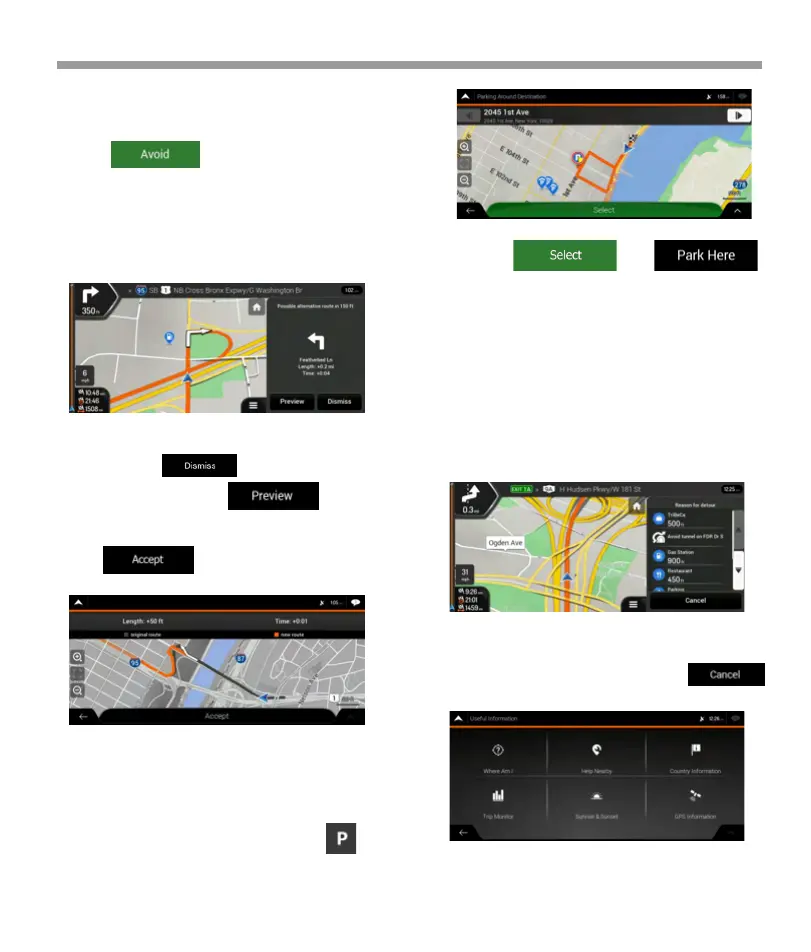
4.1.7.2 Real-time alternative routes
V2 device may offer an alternative route on normal
roads in case of a traffic jam. The possible alternative
route window appears and shows the length and
duration of the detour.
4.1.7.4 Hints upon detour
If you leave the planned route by exiting a freeway,
Epsilon Linux device tries to guess the reason for
making a detour. The Reason for detour window
appears and shows available gas stations, restaurants
or other Places around the current position. Also, if
there are avoidable parts of the original route ahead
(like a tunnel, a toll road or a ferry), you can find them
in the list, in case you want to bypass them.
4.2 Useful Information menu
By tapping one of the Places, Epsilon Linux device
creates a waypoint and navigates you to the selected
place. You can ignore them by tapping .
The Useful Information menu provides various
additional functions. It can be found in the Naviga-
tion menu.
You can ignore this message and keep the original
route by tapping or you can check the
suggested route by tapping .
You can accept the recommended detour by
tapping .
4.1.7.3 Parking around destination
If you leave the planned route by exiting a freeway,
Epsilon Linux device tries to guess the reason for
making a detour. By tapping , you can open a
top-down map with the recommended parking
Places around the destination. By tapping the
arrows on the sides, you can switch between the
recommended parking facilities.
65


 To Next Page
 Loading...