iGo map Operation
Changing some of these settings may not
have an effect in your current region if the
map data do not contain the required
information. .
Note:
4.2.2 Trip Monitor
Trip Monitor logs information about your route.
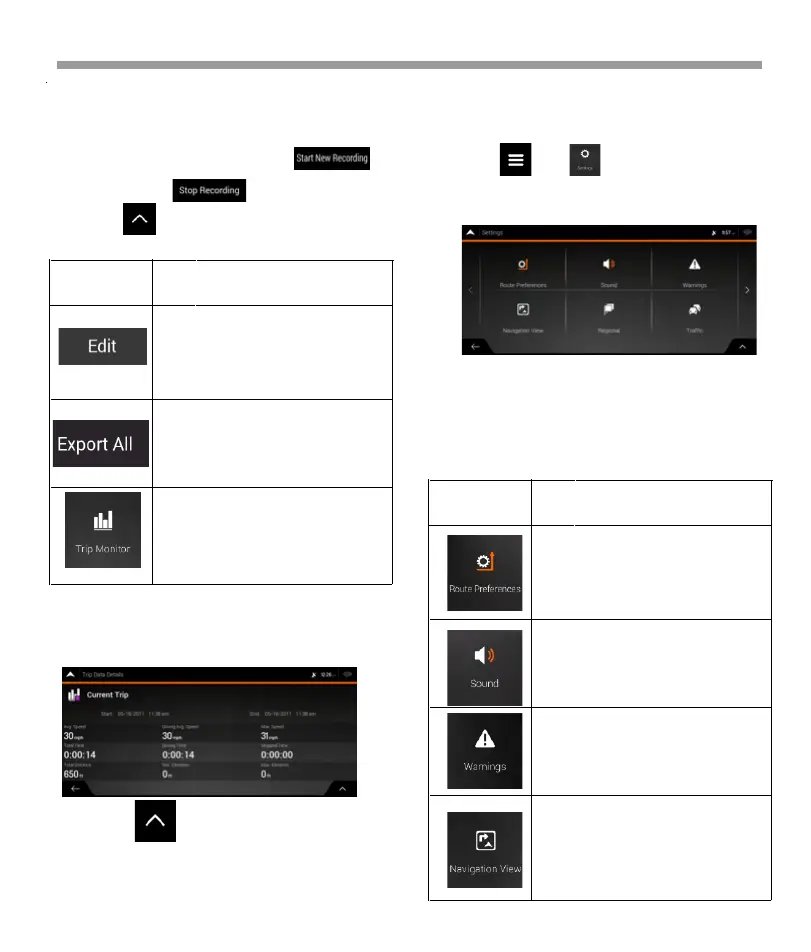
4.3 Settings menu
You can configure the navigation settings, and
modify the behavior of Epsilon Linux device, by
tapping and .
The Settings menu provides the following options:
Tap the arrows to view the content of other pages.
You can record a new trip by tapping and
stop it by tapping .
By tapping on the Trip Monitor screen, you can
select the following options:
By tapping your recorded trip on the Trip Monitor
screen, you can check information such as time,
speed, altitude and distance.
By tapping on the Trip Data Details screen,
you can view the trip on the map, export track logs,
and check the elevation and speed profiles.
By selecting a recorded trip, you
can delete, rename, or change the
color of the recorded route.
reception is not available.
You can export all logs into the
sdmmc folder.
You can access the Trip Monitor
Settings, where you can enable
saving the trip logs automatically
or you can save the trip logs
manually.
Button Function
Select the road types used in
route planning, and the route
planning method.
Set up voice guidance.
Enable and set up warnings for
speed limit, Alert Points (such as
speed cameras).
Fine-tune the appearance of the
Navigation view or adjust how the
software helps you navigate with
different kinds of route-related
information on the Navigation
view.
Button Function
67


 To Next Page
 Loading...