Camera View
For connecting a camera.
Note:
V2 can support 720p high resolution
camera in.
The camera view screen is displayed when
you enter the Camra in.
Displaying the picture from the
Camera
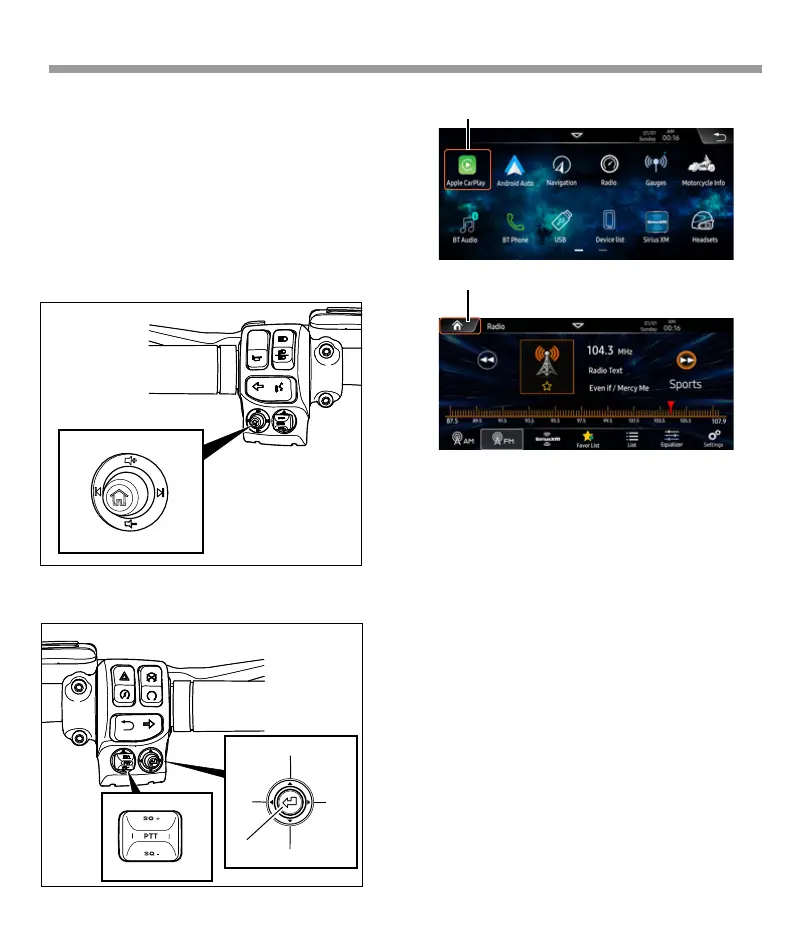
Handlebar control the headunit:
When programme the idata module box, you can
denite the handlebar key’s function one by one.
And you can use the rocker button to make the
left/right /up /down cursor to operate every
page.
Camera in
Left HandControl
RightHandControls
Down
Up
Enter
RightLeft
77
Cursor
Cursor



 To Next Page