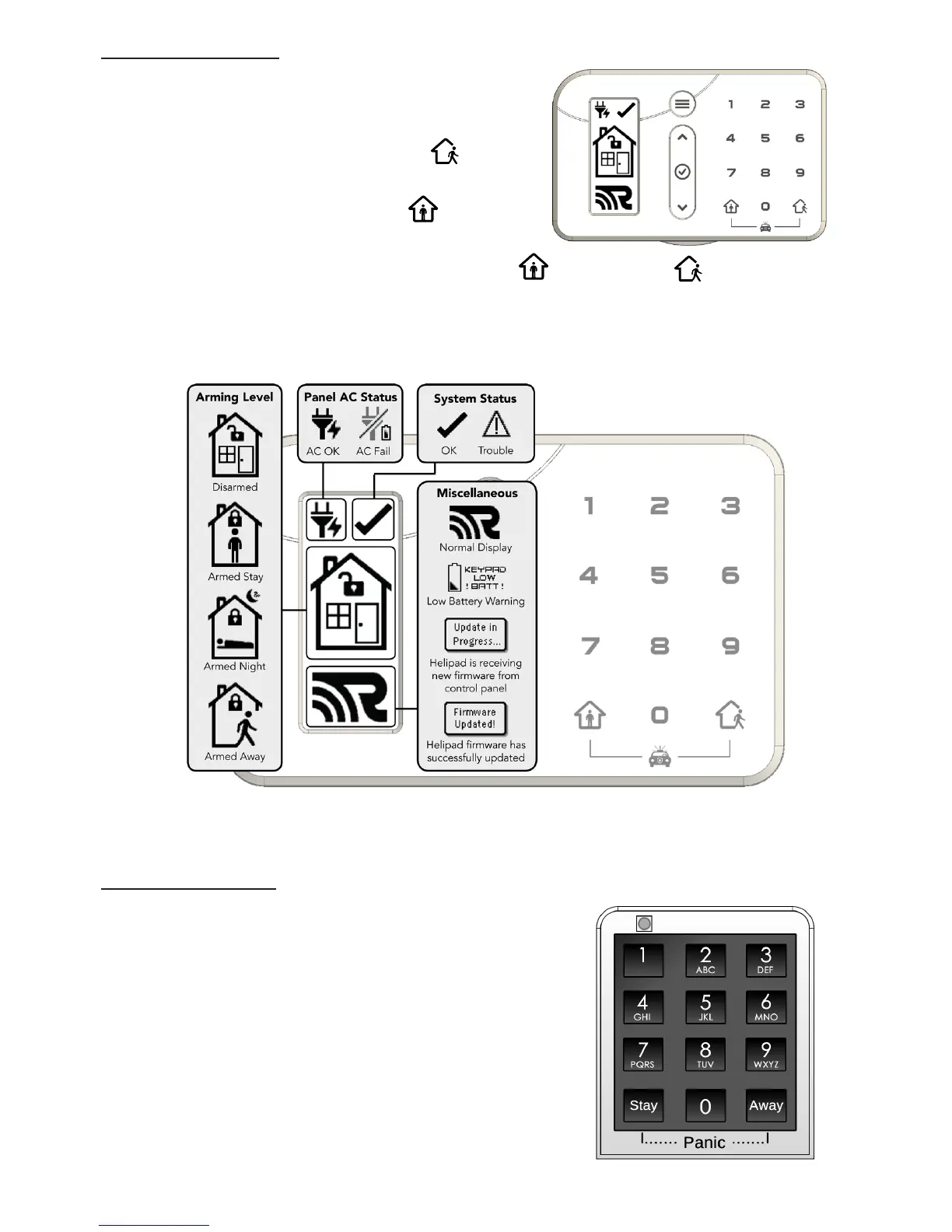
Using HeliPad (See the HeliPad
TM
manual for detailed operation)
Disarm the system by entering a valid user
code on the number pad.
Arm Away by pressing ARM AWAY until the
HeliPad clicks.
Arm Stay by pressing ARM STAY until the
HeliPad clicks.
Trigger a panic alarm by pressing ARM STAY & ARM AWAY together until
the display indicates a panic alarm.
View real-time system status using the HeliPad’s display.
Using PINPad (See PINPad
TM
manual for detailed operation)
Disarm the system by entering a valid user code on
the number pad.
Arm Away by pressing the “AWAY” button until the
PINPad LED ashes red.
Arm Stay by pressing the “STAY” button until the
PINPad LED ashes red.
Trigger a panic alarm by pressing the “STAY” &
“AWAY” buttons together until the PINPad LED
ashes red.


 To Next Page