28
Appendix: exceptions to normal operation
It is recommended that both hearing instruments be set to the
same program at all times. However, it is possible to have differ-
ent programs on the two hearing instruments, such as program 1
on the left side and streamed audio on the right. Under conditions
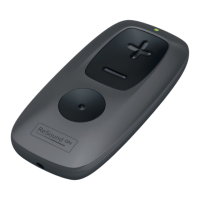
such as these the Remote Control 2 functions slightly differently,
as the following examples illustrate.
Situation #1: You have started with program 1 on both sides but
have changed the right side to program 2 using the push button
on the right hearing instrument. If you now press the “P” but-
ton on the Remote Control 2, the left instrument will advance to
program 2, matching that on the right. Further presses of the “P”
button will advance both instruments, thus keeping the same pro-
gram on both sides.
Situation #2: You have set the left instrument to program 1 and
the right instrument to program 2. If you now press the Stream-
ing button, both instruments will receive streamed audio from
the same source (e.g. the TV). If you now press the “P” button,
streaming will be cancelled on both sides and both instruments
will return to their former programs (program 1 and program 2).
Situation #3: You have program 1 on the left side but have started
streaming on the right side using a long button press on the right
hearing instrument. If you now press the “P” button, your right



 To Next Page