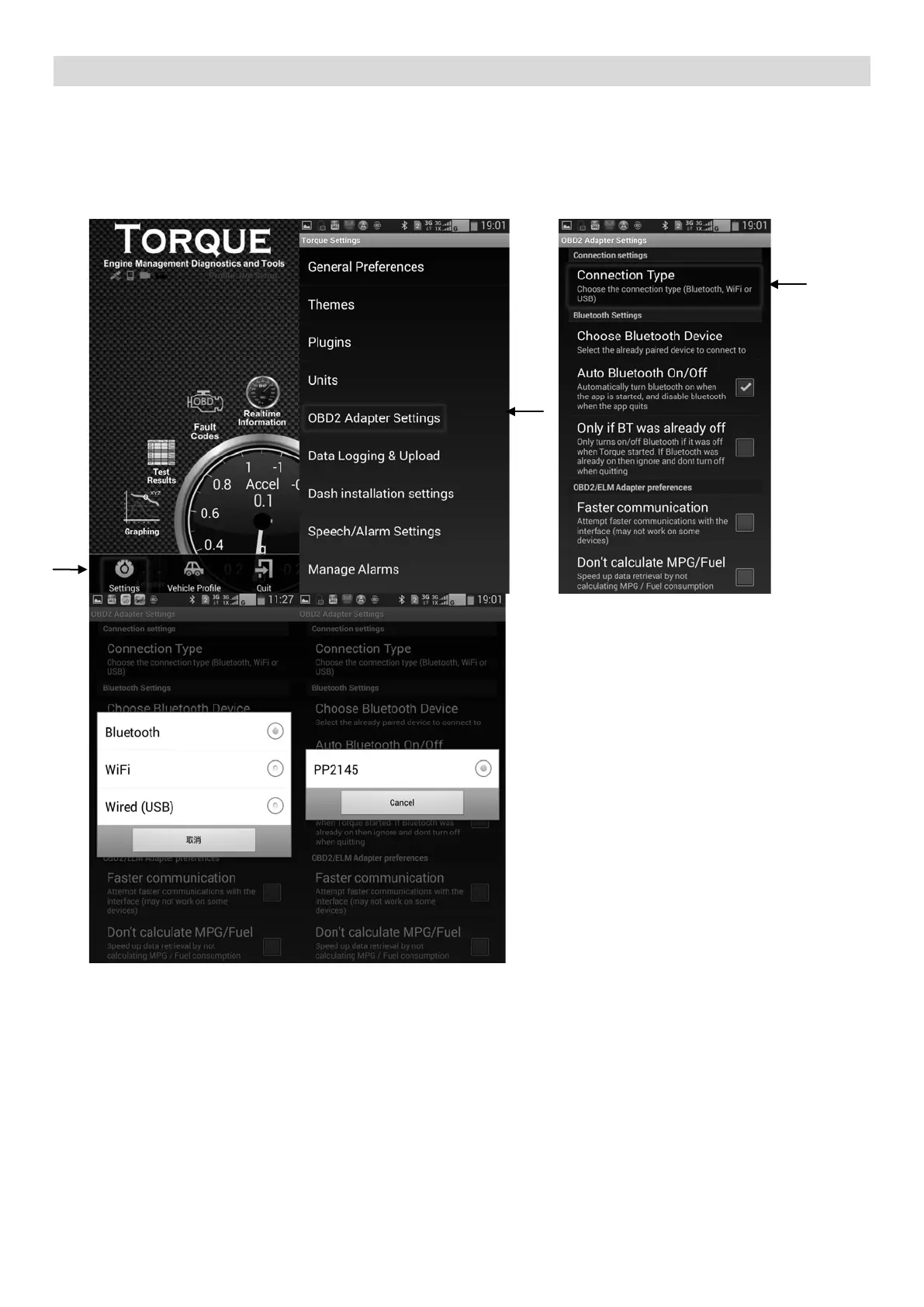
Instructions for Torque Pairing:
1. Using your Android device, download and install the app from the Google Play Store.
2. After installing, turn Bluetooth® technology function of your device through the phone
settings.
3. Search for Bluetooth® technology devices, and pair to ‘PP2145’.
4. Open up the Torque app. Go to ‘Settings’ and ‘OBD2 Adapter Settings’.
5. C
hoose the ‘Connection Type’ as ‘Bluetooth’ and select ‘PP2145’
6. Start to use the app according to your need.


 To Previous Page