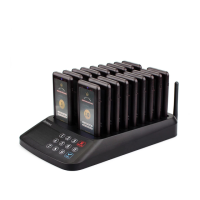
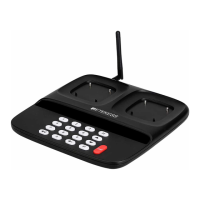
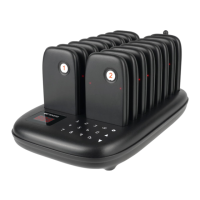
1. Open the package, connect the mainframe power on, and
perform the self-test procedure.
2. When the guest placed an order, the service staff give him
or her a receiver and write down the number.
3. While the order is ready, the waiter press keypad to call
the guest (number), the corresponding receiver gets the
information and prompts vibration/buzzer/light for 30 sec,
remind the guest to get the order.
4. At last, the guest returns the receiver to the waiter and the
service is completed.
Operation instruction
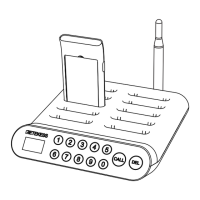
1. Connected to the power supply through the power adapter,
the host digital screen displays "000", inserts the receiver
into the charging slot of the host, the receiver automatically
turns on and charges, and the red light of the receiver indi-
cator is always on.
2. After the receiver is fully charged, the indicator light will be
turned to Green from Red.
3. After the receiver is taken out, the receiver enters the wai-
ting call state, the indicator light shows blue and flashes
once every 3s.
4. When the host calls, the receiver receives the call inform-
ation. Alert by vibrating, buzzing and blue lights flashing
every 0.5s.
5. The receiver reminding time is 30 sec. The guest can sho-
rt press the side button of the receiver to close the remind-
er, or insert the host charging slot to close the reminder.
6. The receiver in the charging process, when the host call,
the blue light of reception indicator flashes every 0.5 sec
for a reminder.
7. When the power of the receiver is low, the red light of the
indicator is flicker once every 1sec.
8. When the receiver is inserted into the host charging slot,
press 999 on the keypad call button and then press the call
key,the receiver in all the charging slots can be turned off
at the same time.
Note: the host must be paired with the receiver before it
can operate properly.
Function Description
3. Deleting - The receiver is in standby state, press and hold
on the “Set” button for 3 sec, the receiving indicator light
goes from blue to extinguish, then release the button,
Successfully deleted paired call.
Note: after changing the host ID, the receiver must be
repaired.
Pairing method
Five mode cycle switching, when switching to the corresponding
mode, the receiver shall receive remind with the corresponding
mode for 5s.
The receiver is in the standby state, short press the mode
button on the receiver to change the reminder mode. There
are five kinds of modes, the default is the vibration, buzzing,
and LED lights, the other four are Vibration and buzz;
Vibration; Vibration and lamplight; Buzz and lamplight.
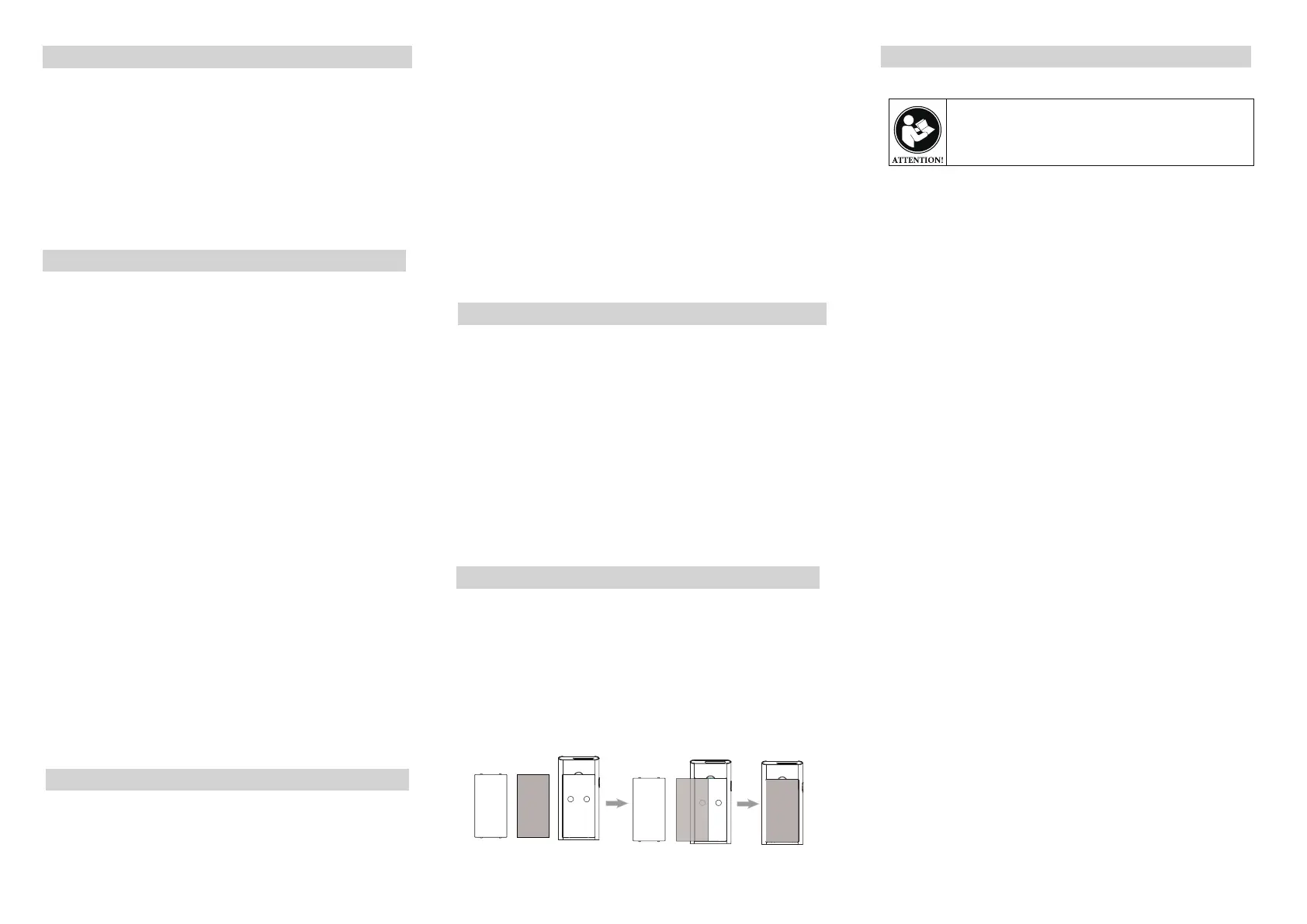
Take out the transparent cover in the front of the receiver,
then put a Sticker inside the paper slot, and then put back
the cover.
Note: when you need to pair or switch reminder mode, take
out the cover and paper firstly.
RF ENERGY EXPOSURE AND PRODUCT SAFETY GUIDE
This radio uses electromagnetic energy in the radio frequency
(RF) spectrum to provide communications between two or mo-
re users over a distance. RF energy, which when used improp-
erly, can cause biological damage.
All Retekess radios are designed, manufactured, and tested to
ensure they meet government-established RF exposure levels.
In addition, manufacturers also recommend specific operating
instructions to users of the radios. These instructions are impo-
rtant because they inform users about RF energy exposure
and provide simple procedures on how to control it.
Please refer to the following websites for more information on
what RF energy exposure is and how to control your exposure
to assure compliance with established RF exposure
limits: http://www.who.int/en/
Local Government Regulations
When radios are used as a consequence of employment, the
Local Government Regulations requires users to be fully aware
of and able to control their exposure to meet occupational req-
uirements.Exposure awareness can be facilitated by the use
of a product label directing users to specific user awareness
information. Your Retekess radio has a RF Exposure Product
Label.Also, your Retekess user manual, or separate safety bo-
oklet includes information and operating instructions required
to control your RFexposure and to satisfy compliance require-
ments.
Radio License (if appropriate)
Governments keep the radios in classification, business radios
operate on radio frequencies that are regulated by the local
radio management departments (FCC, ISED, OFCOM, ANFR,
BFTK, Bundes
netzagentur...).To transmit on these frequencies,
you are required to have a license issued by them.The detailed
classification and the use of your radios, please contact the
local government radio management departments.
Use of this radio outside the country where it was intended to
be distributed is subject to regulations and may be prohibited.
Precautions
Precautions
Precautions
Precautions
Precautions
Before using this radio, read this guide which contains
important operating instructions for safe usage and RF
energy awareness and control for compliance with
applicable standards and regulations.
1. Set the host ID: to press the [CALL] key and the [DEL]
key at the same time until [F1] is displayed on the host
screen, and then press the [CALL] key to enter the setting
mode. After entering the new number "001-999" from the
keyboard, Press [CALL] to save and press [DEL] to exit.
2. Pairing - The receiver is in standby state, short press the
“Set” button, the blue indicator light of the receiver is lawa-
ys on, then press the call number on the keypad, the rec-
eiver gets the signal and blue indicator light turns off and
accompanied by buzz and vibration reminding.It means
pair success.
Reminder mode switching
Change Stickers
3
4
5


 To Next Page
 Loading...