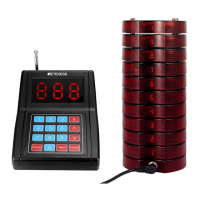
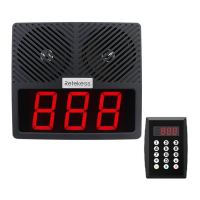
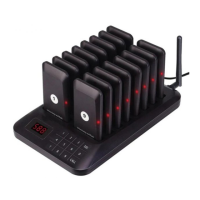
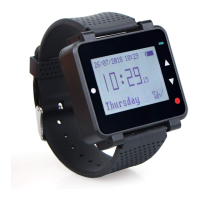
4.Instruction Description
5.Common Troubles and Solutions
Instruction Buttons Display Function
Programming Mode P +999 +CALL P999 To enter programming mode
History ∨/∧ H + Number Check recent 10 call records.
Pager Mute Mode S999 All charging pagers switch to MUTE mode.
S000
S998
S997
All charging pagers quit MUTE mode.
Host switch to MUTE mode.
Host quits MUTE mode.
The corresponding pager alerts.
Host Mute Mode
Call pagers [Number]+Call C+[Number]
The pager can’t be
programmed.
1.The pager is not being charged.
2.Charging is more than 20s.
1. Make sure the pagers are well charged.
2. Try again within 20s after recharging.
The pager can’t be
One-Call-Off
The pager is not being charged. Make sure the pagers are well charged and
try again.
The pager doesn’t
response.
1. The pager is out of power.
2. Out of call range.
1.Use after full charged.
2.Use within range of call.
Quit Pager Mute Mode
C.Mute mode
Press MUTE and 999(S999 displayed)then press CALL,all charging pagers change to MUTE mode.
Press MUTE and 000(S000 displayed)then press CALL,all charging pagers change to normal mode.
In MUTE mode,all pagers only vibrate and flash while being called.
Continuously press DELETE button (
←
) to teturn CALL mode.(C--displayed)
D.Call History
Press
∨/∧
button to query call history.
Continuously press DELETE button (
←
) to return CALL mode.(C--displayed)
Maximum 10 recent called records can be queried.
Note:No looping of
∨/∧.
E.One-Call-Off
In CALL mode,press 999 and CALL,all charging pagers will be off. Re-charge pagers will turn on again.
Note:This instruction is invalid to the pagers not being charged.
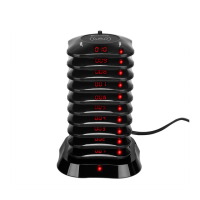
F.Program Operating
All pagers are programmed before delivery.So this operation is only necessary when adding new
pagers or changing numbers.Put the pagers on the charging base,press P and 999(P999 displayed), then press
CALL to enter programming mode. The operation must be finished in 20 seconds after pagers are charged.
In programming mode, all LED display of the pagers will keep flashing.
Then input number and press CALL,all pagers display this nunber. Move the top pager away,the pager will beep
once and stop flashing.It means the pager is programmed.
Repeat the steps to program other pagers.
Note:The pagers will quit programming mode if no operation within 1 minute. All pagers’ numbers will not change
if not being programmed.
1 pager only can be programmed 1 number. Old number will be replaced by the new one.
2


 To Next Page
 Loading...