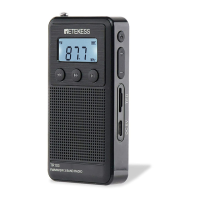
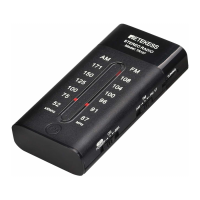
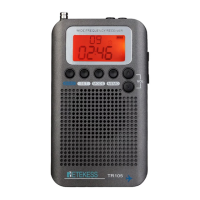
6 LCD display,it is convenient for using:
LCD digital display, convenient for users to see frequency points,
band conversion, battery usage, band conversion, volume
adjustment, etc.
7 VOL∧:FOR turning up the volume,turning up preset recall
functions/
8 VOL∨:FOR turning down the volume,turning down preset
recall functions
Adjust the volume +/- have two method:
The first:The volume is adjusted up from 00 level to 33 level short
press ⑦/⑧ VOL∧∨button, increase or decrease the volume step1
level.
The second:Long press ⑦/⑧ VOL∧∨ button,Rapidly increase and
decrease the volume.Stop adjusting immediately after release your
hand.ON the present recall model:press the ⑦/⑧ VOL∧∨ button
are assist to take out the stored memory station.after short press the
⑨ MEMO button,you can find the CH1……CH50 on the LCD,then
press the ⑦/⑧ VOL∧∨ button for searching your target preset
recall number.
9 MEMO:FOR present store stations and present recall function
Preset store operation instruction:
Press 13 /14 TUNING+/- button adjust target frequency,long press ⑨
MEMO button,appear “CH01-CH50” on the LCD,and the stored
number address”CH01……CH50” is flashing,press the ⑦/⑧VOL∧∨
buttons search for the target stored number address.press ⑨MEMO
button again.LCD display”MEMO”,after 1 second, it is successfully to
preset store operation.
For example:FM 87.8MHZ needs to be saved to CH01.The operation
is as follows: Press 13 / 14 TUNING + / - button to 87.8 MHZ, long
press ⑨button MEMO, LCD display “CH01……CH50” ,press VOL
∧∨button to change the station address CH01,then,please short
press ⑨button MEMO again,LCD display “MEMO”, it is successfully
to preset store operation.
(note: only one frequency point can be stored in the a same address
of storage station.)
5


 To Next Page