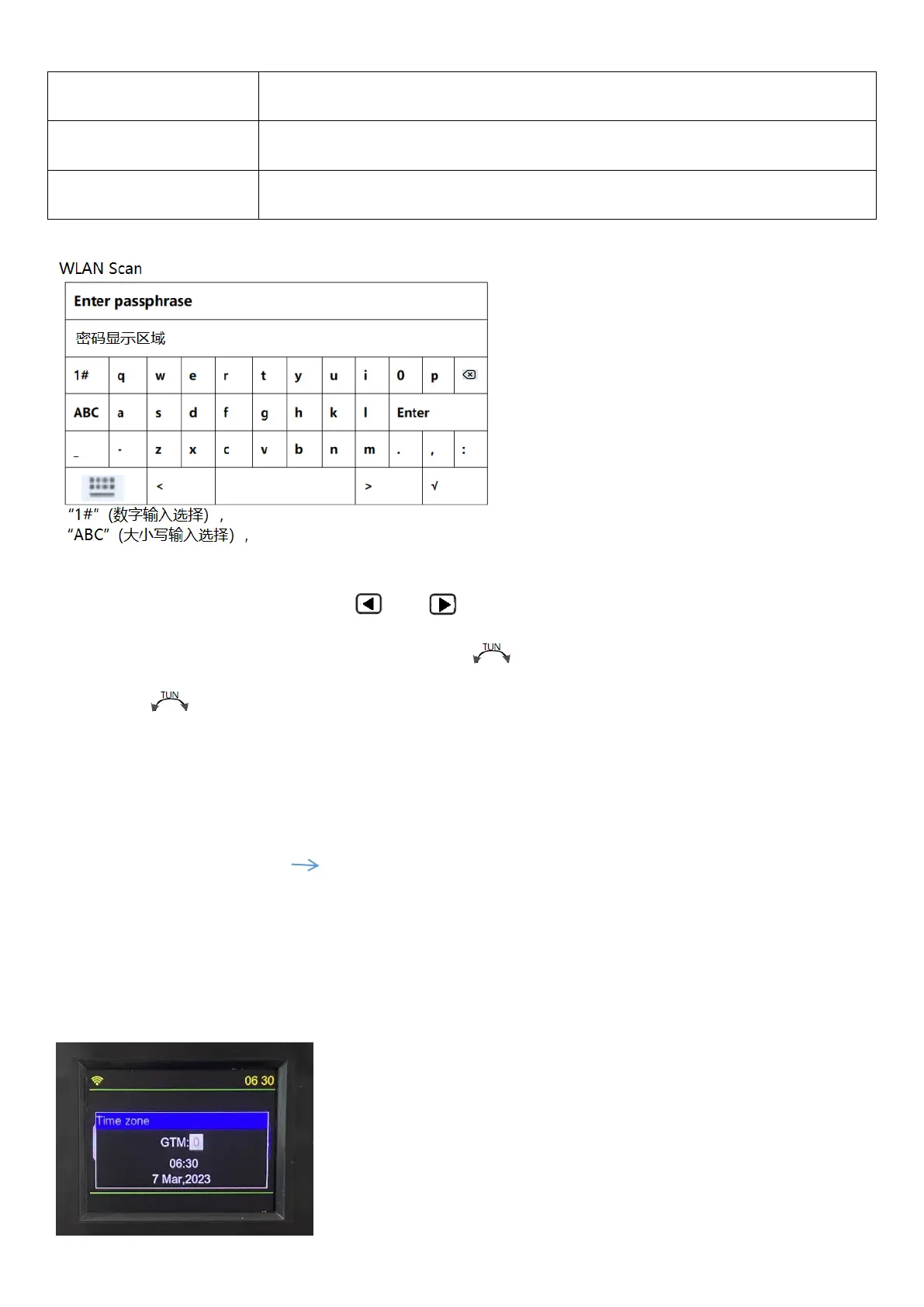
In the password entry area, lightly press【 】&【 】, move left and right, up and down to select a WLAN
password number, letter, or symbol. You can also turn the 【 】 button clockwise to indicate downward selection,
or turn the 【 】button counterclockwise to indicate upward selection, and press the [ENTER] key to confirm.
※ When selecting 1#, ABC, abc, press [ENTER] , keyboard-styled English size word area/various symbols can
be selected.
After filling in the correct password, press [ENTER] to confirm.
LCD displays:“WI-FI connecting.” “WI-FI connection successful” WI-FI is connected successfully.
If the password is not entered correctly, displays ”Ivalid passphrase”.
※WI-FI is connected successfully, about 3-5 seconds, the LCD automatically displays the ‘Time zone’ (Time zone
setting) display window, shown below:


 To Next Page