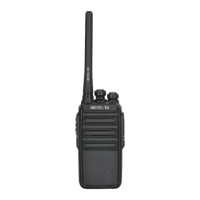
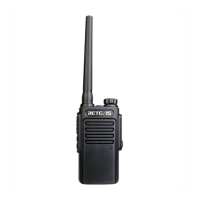
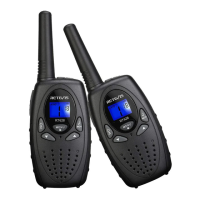
This document is a user manual for the Retevis H-777 portable two-way radio. It provides instructions for operation, installation of accessories, troubleshooting, and technical specifications.
Function Description
The Retevis H-777 is a portable two-way radio designed for dependable and cost-effective communication. It incorporates advanced technology and craft to provide quality features. The radio supports CTCSS/DCS for selective calling, allowing users to ignore unwanted calls from other persons using the same frequency. It also features a VOX (Voice Operated Transmission) function, which eliminates the need to manually switch to transmission mode by automatically activating when the user speaks into the microphone. An emergency alarm function is available, which can be activated by pressing and holding the PTT and MONI buttons on channel 11 while switching the transceiver on. The radio also includes a Battery Saver function to reduce power consumption when no signal is being received and no operations are performed for more than 10 seconds.
Important Technical Specifications
- Frequency Range: 400-470MHz
- RF Rated Power: 5W
- Channel Capacity: 16 channels
- Operated Voltage: 3.7V
- Dimensions: 115mm x 60mm x 33mm
- Weight: 150g
- Battery Type: Lithium Battery (JL-11 Battery Pack)
- Battery Usage Time: Approximately 8 hours (based on 5% transmit/5% receive/90% standby standard duty cycle).
- CTCSS/DCS Tones: Selectable from 39 or 83 tone frequencies.
- Minimum Memory for Programming Software: 64MB
- Hard Disk Space for Programming Software: At least 50MB
Usage Features
- Power ON/OFF and Volume Control: Turn the power switch/volume control clockwise to switch ON and counterclockwise to switch OFF. Rotate to adjust the volume.
- Channel Selection: Rotate the channel switch to select the desired channel. Channel 16 is designated as the scanning channel.
- Transmitting: Press and hold the PTT (Push-To-Talk) button and speak into the microphone in a normal tone of voice. The LED indicator lights continuously red when transmitting. For maximum clarity, hold the transceiver 2 to 3 inches from the mouth.
- Receiving: Release the PTT button to receive a call. The LED indicator lights green when in reception condition.
- Monitor Function: Press and hold the MONITOR button (Squelch OFF) to hear background noise and receive weak signals. Release to return to normal operation.
- Torch Function: Press the FUNCTION KEY to activate the torch function.
- Squelch Level: Mutes the speaker when no signals are present. The squelch level can be adjusted via program software.
- Time-Out Timer (TOT): Prevents a caller from using a channel for an extended period, which could cause thermal damage. It limits transmission time, and an alert tone sounds if the set time is exceeded.
- Scan Function: When enabled via software, turning the channel selector to channel 16 automatically detects activities on scanning channels from 1 to 15 (customizable). The transceiver stops scanning when a signal is detected and resumes or stops based on settings. Scan cannot operate if there are fewer than 2 channels or if the FM radio function is activated. On channel 16, pressing PTT and MONI keys can turn SCAN ON or OFF.
- Voice Prompt: Voice Prompt ON/OFF can be set via software. On channel 10, pressing PTT and MONI keys and then switching on the transceiver allows selection of different voice prompt languages.
- VOX (Voice Operated Transmission): Requires an optional headset with a microphone. VOX Gain level needs to be set appropriately to recognize sound levels and avoid transmitting due to background noise or not picking up voice. On channels 1-5, pressing and holding MONI and PTT, then switching on the transceiver, activates/deactivates VOX.
- Emergency Alarm: On channel 11, pressing and holding PTT and MONI, then switching on the transceiver, activates/deactivates the emergency alarm. This can also be set via program software. If the function is OFF, other transceivers receiving the signal will not alarm.
- Busy Channel Lock-Out (BCL): Prevents interference with other parties using the same channel. If activated, pressing PTT on an in-use channel will cause an alert tone, and transmission will be inhibited.
- Programming Software: The radio's channels and frequencies can be programmed using dedicated software. This involves installing a driver for the programming cable (USB or serial), connecting the cable to the computer and the radio, and using the software to read, modify, and write frequency data and other functional parameters.
Maintenance Features
- Battery Charging: The new battery pack should be charged before use. New or stored battery packs may not reach full capacity on the first charge and may require 2-3 charging and discharging cycles to reach full capacity. The charging process involves plugging the adapter into an electric socket, inserting the transceiver or battery into the drop-in charging tray, ensuring proper contact (red light indicates charging), and waiting for the LED to turn green (approximately 3 hours) to indicate full charge. Overcharging a fully charged battery pack can shorten its life or damage it.
- Battery Low Alert: An alert tone will sound, and the LED indicator will blink red when the battery power is very low, prompting the user to recharge or replace the battery pack.
- Troubleshooting Guide: The manual includes a troubleshooting section for common issues such as "No Power," "Couldn't communicate with other group members," "Hear the voice from other groups," "Why can I hear the voices clearly from other group, sometimes, my voice is intermittent," and "Can't turn on the radio and even it is turned on, it often shuts off automatically." Solutions include checking battery installation, verifying channel frequency and CTCSS settings, checking the microphone, and inspecting battery contacts.
- Warranty Card: The warranty card serves as proof for repair and is valid with a stamp and date. It must not be altered, and the card number and machine number must match. Accessories like the charger, battery, earphone, antenna, and program cable are not covered by the warranty. Defective parts are repaired or replaced during a one-year limited warranty period. Users can send the machine to the purchase site or maintenance sites for repair.
- General Precautions:
- Refer service to qualified technicians only.
- Do not disassemble or modify the transceiver.
- Avoid direct sunlight exposure or extremely hot conditions.
- Do not place the transceiver on unstable surfaces.
- Keep the transceiver away from dust, moisture, and water.
- Do not operate or charge the battery pack under explosive conditions.
- Do not short-circuit battery terminals or dispose of batteries in fire.
- Do not disassemble the battery pack.
- The antenna should not be used as a handle, key ring retainer, or attachment point for speakers/microphones, as this can damage the antenna and degrade performance.
- The transceiver is not fully water resistant when using a speaker/microphone.
- If the belt clip is not installed, the mounting location may get hot during continuous transmission or in a heated environment.

 Need help?
 General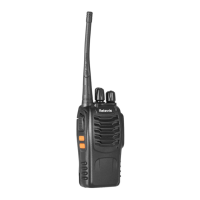

 To Next Page