EasyManua.ls Logo

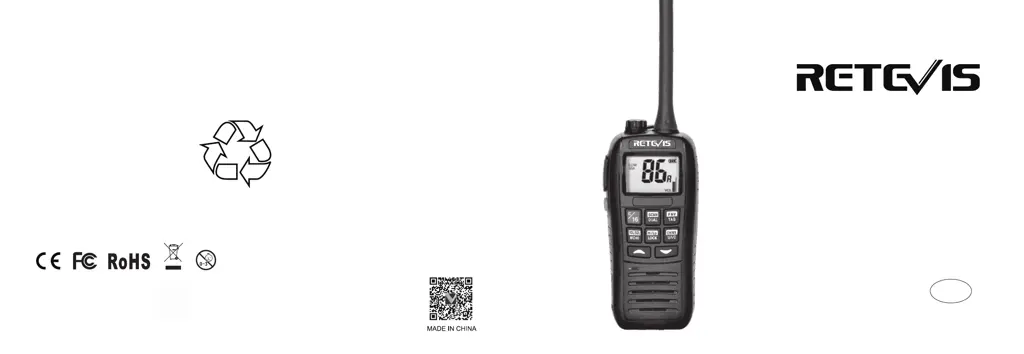
Retevis RA26 - User Manual

Retevis RA26
15 pages
Print Icon
To Next Page IconTo Next Page
Loading...
RA26
Instruction Manual
Add: 7/F, 13-C, Zhonghaixin Science&Technology Park, No.12 Ganli
6th Road, Jihua Street, Longgang District, Shenzhen, China
Web: www.retevis.com
E-mail: kam@retevis.com
Facebook: facebook.com/retevis
Shenzhen Retevis Technology Co.,Ltd.
RA26
EN
VHF Marine Radio

Questions and Answers

  • S
    staceyspencerAug 6, 2025
    What to do if my Retevis Marine Radio cannot transmit or transmit in high power?
    • B
      Bruce WardAug 6, 2025
      If your Retevis Marine Radio won't transmit or has limited high power, it could be due to several reasons. Some channels might restrict transmission to low power, so try switching to a channel without this limitation. Alternatively, the battery could be low, requiring you to charge it. Ensure you are not in Weather Channel or Channel 70, as this can also affect transmission. You may also need to press the [Hi/Lo] button to select high power transmit.
  • J
    Jason WalkerAug 10, 2025
    How to fix Retevis RA26 Marine Radio when it cannot power on?
    • T
      terrihallAug 10, 2025
      If your Retevis Marine Radio won't power on, the most likely cause is that the battery is exhausted. To resolve this, simply charge the battery pack.
  • H
    Heather GreenAug 14, 2025
    Why is there no sound from the loudspeaker on my Retevis RA26 Marine Radio?
    • T
      Timothy GutierrezAug 14, 2025
      If you're not getting any sound from the loudspeaker of your Retevis Marine Radio, there are a few potential causes. First, the squelch level might be set too high; try adjusting it to a more appropriate level. Second, the volume level could be too low, so increase the volume. Finally, check for water in the loudspeaker and drain it if necessary.
  • S
    Shelia JohnsonAug 19, 2025
    What does it mean when my Retevis RA26 Marine Radio indicates “ER” and “CHG”?
    • E
      Eric FloresAug 19, 2025
      If your Retevis Marine Radio indicates “ER” and “CHG”, it means that the temperature range for charging is not optimal (exceeds 0~+45°C) or continuing charging causes high battery heat. Move the radio to a cooler environment. You can also power it on when charging.
  • M
    michaelhillAug 23, 2025
    What to do if I cannot change channel on my Retevis Marine Radio?
    • T
      Teresa VillarrealAug 23, 2025
      If you're unable to change the channel on your Retevis Marine Radio, the keypad may be locked. To unlock it, hold the [LOCK] button for 1 second to disable the key lock function.
  • Q
    qwilkinsAug 27, 2025
    Why can't my Retevis RA26 communicate in the same channel?
    • D
      Deanna BennettAug 27, 2025
      If your Retevis Marine Radio cannot communicate on the same channel, it could be due to the channel being set to duplex (DUP). Try selecting a different channel. Alternatively, if you are working in a self-set channel group, ensure that you have set the same channel frequency.
  • C
    Christopher LeachSep 1, 2025
    Why Retevis Marine Radio cannot scan?
    • D
      Daniel RowlandSep 1, 2025
      If your Retevis Marine Radio is unable to scan, it might be because no TAG channels are set. You need to set TAG channels for the scanning function to work properly.

Summary

CAUTION

Important Safety Warnings

Critical operational advice to prevent damage or hazards during radio use.

PREPARATION

BASIC OPERATION

SCAN OPERATION

DUAL;TRI WATCH

SET MODE

SPECIFICATIONS

TROUBLESHOOTING

Common Issues and Solutions

A guide to diagnosing and resolving common problems encountered with the radio.

REGULATORY INFORMATION

Compliance Standards (FCC, CE, IC)

Details legal requirements and certifications for radio operation in different regions.

RF Exposure Guidelines

Information on safe radio frequency exposure limits and practices.

SAFETY GUIDELINES

General Operational Safety

Essential precautions for safe use in various environments and situations.

Hearing and Burn Prevention

Advice on protecting hearing from loud noises and avoiding burns from hot components.

Component and Accessory Safety

Warnings related to antennas, batteries, chargers, and the use of approved accessories.

Retevis RA26 Specifications

General IconGeneral
Waterproof RatingIP67
Dimensions58 x 120 x 35 mm
Weight220g
Antenna Impedance50Ω
Battery Voltage7.4V
Output Power5W
Modulation ModeFM
Channel Spacing25KHz
Operating Voltage7.4V
Battery TypeLithium-ion
Operating Temperature-20°C to +60°C
Transmitter Power5W
Receiver Sensitivity0.25μV

Related product manuals