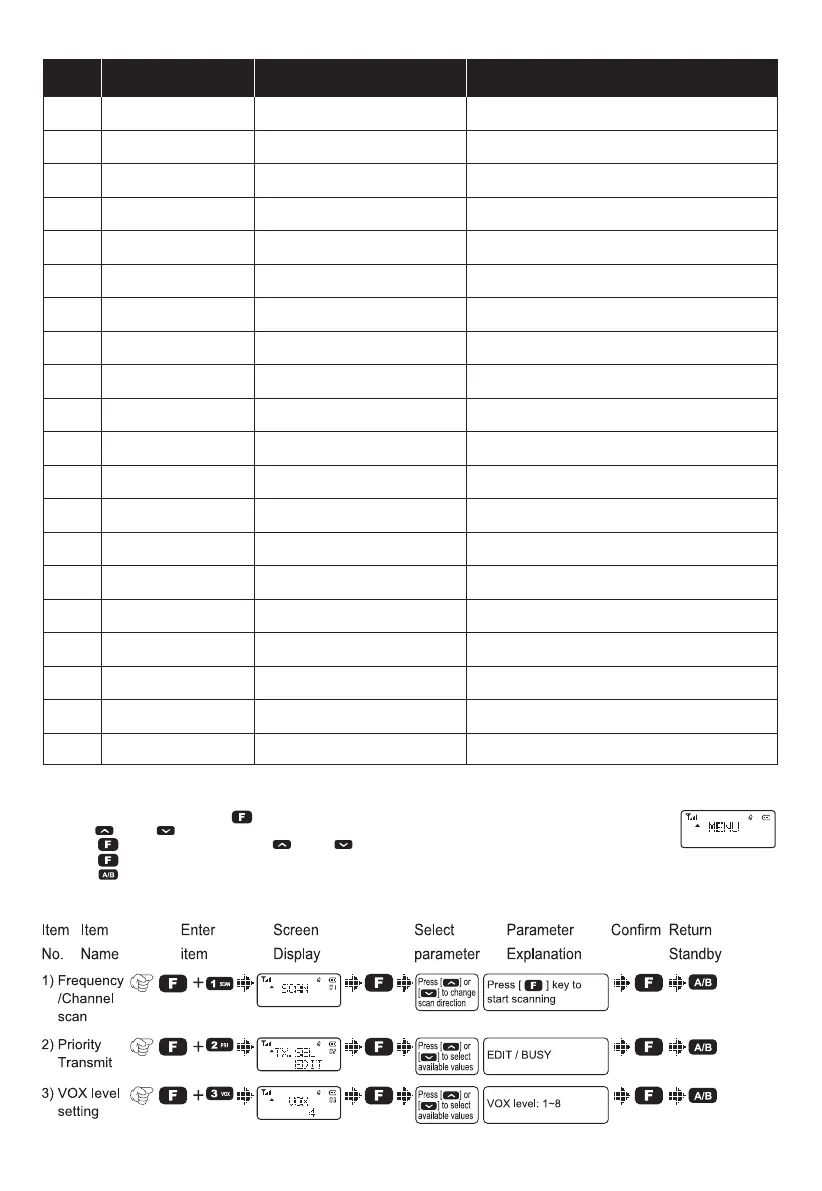
No. LCD Display Available Values Description of Function
20
21
22A
22B
23
24
25
26
27
28
29
30
31
32
33
34
35
36
37
38
OPENSET
DC VOLT
OFFSET
DIS.NM
C-CDC
R-CDC
T-CDC
S-D
STEP
N/W
SEEK 67.0
SEEK D023N
Scrambler
LOCK MD
DIS MD
DW
Reset
Radio VER
DIS.NM
RX ENC
OFF/DC/MEG
/
0.000-40MHz
ON/OFF
OFF/67.0/D023N
OFF/67.0/D023N
OFF/67.0/D023N
+/-/OFF
5K/6.25K/…/100K
WIDE/NARR/MIDD
/
/
ON/OFF
ALL/PTT/KEY/KEY+S
FRE/CH/MR
ON/OFF
ALL/VFO/FULL
M B91.13 / T 23/03/08
-1A.@
ON/OFF
Power-on Display
Battery Power Voltage
Repeater Shift (Under VFO mode)
Display Channel Name (Under CH mode)
TX/RX Tone coder
RX Tone coder
TX tone coder
Shift Direction
VFO Step
Wide/ Narrow/ Middle Band
CTCSS Scanning
DCS Scanning
Voice Scrambler
Working mode setting
Dual Watch/monitor
Reset function
Channel Name Editing
RX Noise Cancellation
Menu Operations
1)Under the standby mode, press [ ] to enter menu setting and LCD displays “MENU”.
2)Press [ ] or [ ] to select the desired menus, and LCD will display the current settings of the selected menu.
3)Press [ ] to enter and then press [ ] or [ ] to select the desired setting.
4)Press [ ] again to confirm.
5)Press [ ] twice to exit and then return the standby mode.
SHORTCUT MENU OPERATION
07



 To Next Page