Need help?
Do you have a question about the Retevis RB19P and is the answer not in the manual?
User can search for calls from other channels.
Locks and unlocks the radio buttons.
Shows the current battery level.
Enters monitor mode to listen.
Switches to NOAA mode.
Voice activated transmission.
Prevents continuous transmission on a channel.
Prevents interference from other transceivers.
Allows selection of transmission power.
Reduces power consumption when idle.
Alerts user when battery is low.
Prevents inter-channel interference.
Users must be aware of and control exposure to meet occupational requirements.
Requirement for operating radios on regulated frequencies.
Modifications can void user authority and violate rules.
Declaration of conformity with EU directives.
Lists EU countries where the product can be used.
Proper disposal of electronic products and batteries.
Compliance with Innovation, Science and Economic Development Canada.
Guidelines on safe RF exposure and transmission limits.
User awareness instructions should accompany the device.
Transmit no more than 50% duty factor; maintain distance.
Hold radio vertically, keep antenna away from face.
Hold radio like a wireless telephone when making calls.
Note on susceptibility to EMI.
Small Parts. Not for children under 3 years.
Turn off radio before removing battery or in hazardous environments.
Turn off in hospitals, aircraft, or posted areas.
Use lowest volume, limit high volume time, keep speaker from ear.
Do not use damaged antenna; handle batteries with care; chassis gets hot.
Do not use charger outdoors or disassemble it.
Do not place radio in airbag deployment area.
Use Retevis accessories for RF exposure compliance.
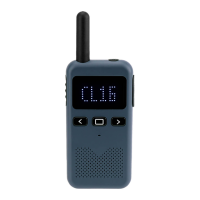
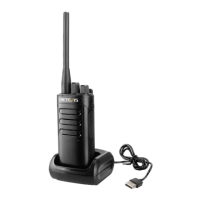
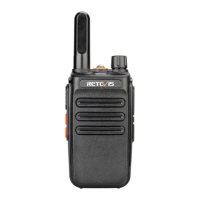
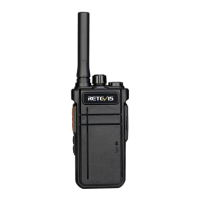
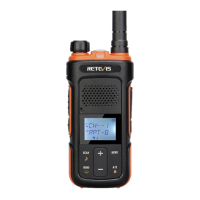
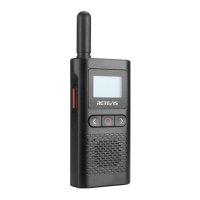
The Retevis RB19P is a compact two-way radio designed for clear and reliable communication. It features a user-friendly interface with a display screen, power key, and function keys for easy operation. The radio is equipped with an internal antenna and includes a USB cable for charging.
The RB19P operates as a two-way radio, allowing users to communicate over designated channels. It supports both high and low power channels, providing flexibility for different communication needs. The radio includes a scanning function, enabling users to search for calls from other channels. When activated, the transceiver will scan with the current channel and can be exited by operating the function again.
A key feature is the Push-to-Talk (PTT) button, which allows users to transmit their voice to other radio users. To receive calls, the PTT button is released. The radio also incorporates a Voice Operated Exchange (VOX) function, which allows for voice-activated transmission without needing to press the PTT key. The VOX level can be adjusted via software, and the function can be toggled on or off using the function keys.
For enhanced communication and privacy, the RB19P supports CTCSS (Continuous Tone-Coded Squelch System) and DCS (Digital Coded Squelch), which help filter out unwanted signals. It also includes an alarm function, which can be programmed to a side key, allowing the transceiver to emit an alarm on the current channel.
The RB19P is designed for ease of use. The display screen provides visual feedback, showing the current channel, battery level, and other status indicators. The volume can be adjusted using the < and > keys. Channels can be switched by pressing the channel mode key and then using the < and > keys.
The radio features a keyboard lockout function to prevent accidental changes to settings. This can be activated and deactivated using a long press of the designated key. A power display function allows users to check the current battery level by short-pressing the power key. The radio will automatically exit this display mode after 5 seconds or if the PTT button is pressed.
A monitoring function is available, activated by a long press of the > key, which allows users to listen to the current channel without transmitting. The radio also supports NOAA (National Oceanic and Atmospheric Administration) mode, accessible by a short press of the power keys, providing access to weather alerts and information.
To prevent a single person from monopolizing a channel, the Time Out Timer (TOT) is included. If transmission continues beyond a set time, an alarm will sound, and the transceiver will stop transmitting until the PTT key is released. The Busy Channel Lockout function prevents interference from other transceivers using the same channel, ensuring clearer communication.
Proper battery charging is crucial for the longevity of the RB19P. The battery is not fully charged at the factory and should be charged within an environmental temperature range of 5-40 °C before initial use. For new batteries or those stored for over two months, it is recommended to repeat the charge/discharge cycle two or three times to achieve optimal battery capacity. It is important to power off the transceiver before charging to ensure correct charging and to avoid using the radio while it is charging. Overcharging a fully charged battery can shorten its service life or cause damage. If the battery's service time significantly decreases even after proper charging, it should be replaced.
The radio includes a Battery Power Saving function, which reduces power consumption when there is no signal or operation, helping to extend battery life. A Low Battery Warning provides a voice prompt when the battery power falls to a predetermined value during transmission, indicating that the radio needs to be charged.
The RB19P is designed for professional maintenance. If the radio emits smells or smoke, the battery pack should be removed immediately, and the nearest distributor should be contacted. Self-disassembly is prohibited, as repairs should only be performed by qualified professionals and technicians.
For additional resources such as brochures, software, firmware, and manuals, users can contact their direct reseller or visit the retevis.com website and check the "support" section for the specific product link.
 General
| Channel Capacity | 16 |
|---|---|
| Antenna Impedance | 50Ω |
| Intermodulation Interference Resistance | ≥60dB |
| Receiver Current | ≤300mA |
| Frequency Range | 400-470MHz |
| Maximum Deviation | ±5kHz |
| Audio Power | 0.5W |

 To Next Page