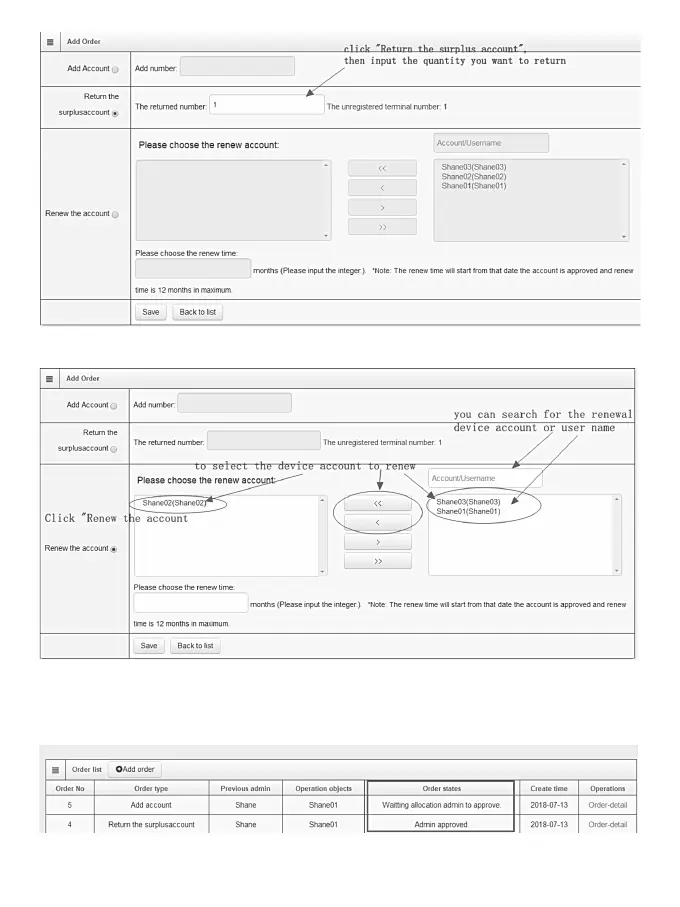
5. Renew the account
When your account want to expand the valid time, you need renew the validity period by this order.
After that, click “Save”, and you will find this order in the “Order list”When the order type is “Return the surplus
account, the previous administrator will approve this order automatic, so that the “order states” will shows
“Admin approved” , this order is deal with.
When the order type is “ Add account or renew the account” , you need wait the previous administrator to
10


 To Next Page