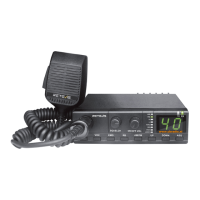
This radio supports the Call Tone function. When the radio is in standby, double-clicking the [PTT] button will
send a call tone. During the sending process, the local speaker can hear the call tone, and other radio on the
same channel can receive the call tone.
Steps:
•Short press the menu button to cycle, select the call tone menu
•Short press the [+] or [-] button to select the call tone, there are 1-5 types to choose from.
•Short press on the transmit button (PTT) to exit the setting and enter standby mode.
8. Roger Beep
This radio supports the Roger Beep function, which sends an audible signal to the other party that the
transmission has ended. When this function is set to on, the Roger Beep can be heard on the loudspeaker when
the radio is finished.
•Short press the menu button to cycle and select the end sound menu;
•Short press the [+] or [-] button to set the transmission end tone on or off•Short press the transmit button (PTT)
to exit the setting and enter standby mode.
9. Key Beep
This radio supports the Key Beep function. When this function is set to on, a key beep will be emitted when the
radio key is operated to indicate whether the user's operation is valid.
•Short press the menu button to cycle, select the button beep menu
•Short press the [+] or [-] button to set the key tone on or off.
•Short press the transmit button (PTT) to exit the setting and enter standby mode.
10. Channel Lock
•Press and hold the [+] and [-] keys at the same time, the loudspeaker will send two beeps and the channel lock
will be on, and then the channel cannot be adjusted.
•Press and hold the [+] and [-] keys at the same time again, the speaker will send one beep and the channel lock
will be turned off, then the channel can be adjusted.
Note: The above tones are valid when the key tone is on.
11. Keylock function
•Press and hold the menu key and the [-] key of the radio at the same time, the speaker will send a key lock tone
and the key lock function will be turned on. At this time, except for the [PTT] key, all other keys cannot be
operated. A "beep" key failure tone will sound when pressed
•Press and hold the menu key and or [-] key of the radio at the same time again, the speaker will sound the
unlock tone and the lock key function will be turned off, all the keys on the radio can be operated normally.
Note: The above tones are valid when the key tone is on.
12. Channel Scan (Carrier Scan)
•In standby mode, press and hold the [+] key for more than 3 seconds to activate the channel scan function.
When a valid signal is scanned and reception stops, press the [+] key again to continue scanning.
•Press and hold the [+] key again for more than 3 seconds to turn off the channel scanning function.
13. VOX
When the vox is switched on, the radio microphone will detect a loud enough sound input and the radio will
automatically start transmitting, and will exit the transmitting mode when it stops speaking.
•The vox can be set on/off in the programming software (CPS) (menu ticked as on, default unticked).
•The vox can also be set on/off through the menu keys.
Steps:
Firstly, Short press the menu button to cycle, select the voice-activated menu.
Secondly, Short press the [+] or [-] button to set the voice control on (the corresponding voice control level is on)
or off.
Finally, short press the transmit button (PTT) to exit the setting and enter standby mode.
14. VOX Levels
The voice control level can be set to: 0-5, with level 5 being the most sensitive and level 3 being the default.
•The VOX level can be set in the programming software (CPS).
•The VOX level can also be set through the menu keys.
Steps:
Short press the menu button to cycle and select the voice-activated menu.
Short press the [+] or [-] button to set the voice control level.
Short press the launch button (PTT) to exit the setting and enter the standby state.
Note:
15. Compandor
•The Compandor function can be set on/off in the programming software (CPS) (menu ticked as always on,
default ticked).
03


 To Next Page
 Loading...