M
E
NU
Lock
MENU
Lock
MENU
Lock
MENU
Lock
M
E
N
U
Lock
M
E
N
U
Lock
M
E
N
U
Lock
ME
NU
Lock
M
E
NU
Lock
M
E
NU
Lock
VF
O
Call
M R
ME
NU
Lock
V
F
O
C
all
M R
MEN
U
Lock
VFO
Ca
l
l
M
R
MEN
U
Lock
V
FO
C
a
l
l
M
R
M
E
N
U
Lock
ME
NU
Lock
VF
O
Cal
l
M R
V
FO
C
a
ll
M R
ME
NU
Lock
V
F
O
C
all
M R
M
E
N
U
Lock
VF
O
Cal
l
M
R
MENU
Lock
M
E
N
U
Lock
MEN
U
Lock
MENU
Lock
M
E
N
U
Lock
M
E
NU
Lock
MENU
Lock
ROGER
OFF
DS
16
AUTOLK
OFF
DS
17
BCLO
OFF
DS
18
S-D
OFF
DS
19
OFFSET
000.000
DS
20
OPNSET
DC
DS
21
PTT-ID
OFF
DS
22
PONMSG
_______
DS
23
Step
1
6
RPT
Step
1
Step
1
Step
1
7
N/W
8
TOT
9
Beep
2
P.save
0
TONE
2
P.save
Step
1
2
P
.save
2
P.save
2
P.save
3
VOX
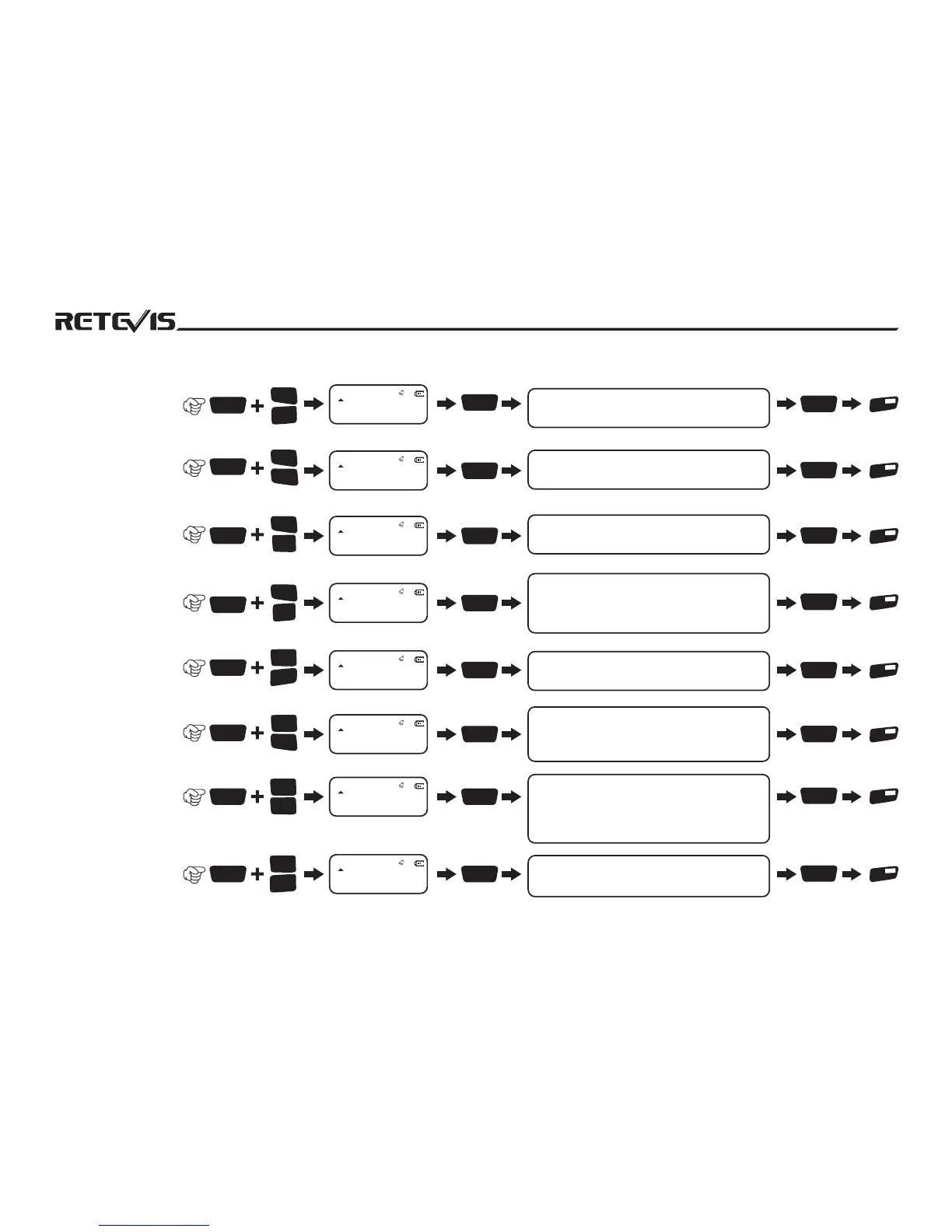
NO.Menu Name
Enter Menu
Setting
Screen Display
Rotate Channel Knob to
select parameter(notes)
Confirm
Return
State
“+”indicates transmitting frequency is higher
than receiving frequency“-”indicates
transmitting frequency is lower than receiving
frequencyOFF to close this function
16 Roger Prompt Tone
17 Keypad Lock
18 Busy Channel Lockout
19 Frequency Shift
Direction
20 Offset Frequency
21 Open Mode Set
23 Power On Message
Edit
22 PTT-ID Set
ON to start,OFF to close
AUTO Indicates that the keypad is automatically
locked when there is no operation on the radio
ON to start keypad lock,OFF to close keypad lock
ON indicates that transmitting is forbidden when
receiving signals. OFF to close this function
Use keypad input the offset frequency
“Full”indicates full screen displays,“DC”
indicatesbattery voltage display. “MSG”
indicates power on message display(please
refer to power on message edition)
OFF indicates close PTT-ID code. SOT indicates
transmit PTT-ID code when press transmit key.
EOT indicates transmit PTT-ID code when release
transmit key. BOTH indicates transmit PTT-ID
code both press/release transmit key.
Press [*]/[#] to select character position,rotate
channel indicator knob to select characters
21
STEP
5.00K
DS
01
NO.Menu Name
Enter Menu
Setting
Screen Display
Rotate Channel Knob to
select parameter(notes)
Confirm
Return
State
1010101010101010101010


 To Next Page