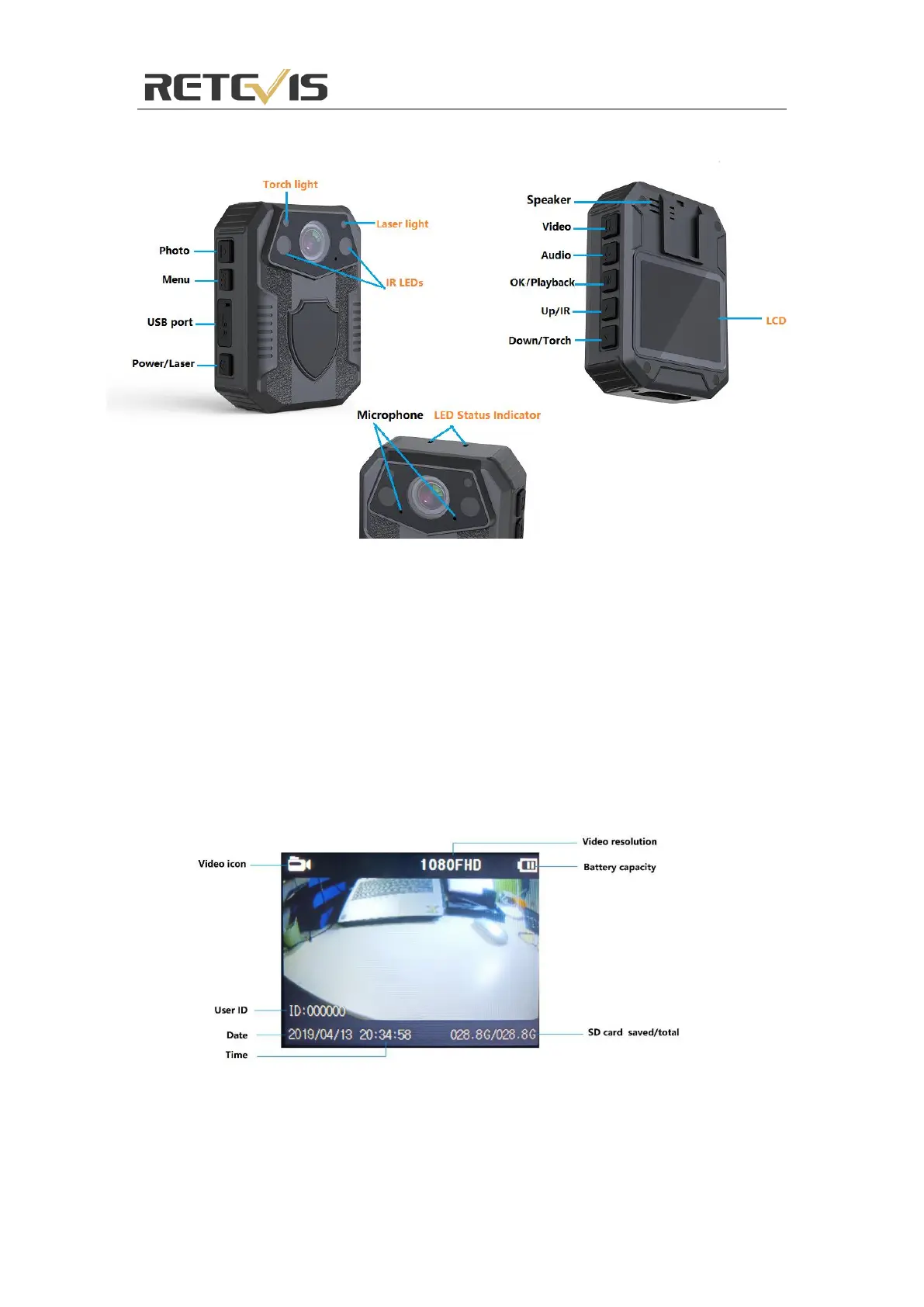
RT77 Body Camera Diagram
Power On/Off
Power on:
1. Press “Power” button, the LED Status Indicator will light up green with power on sound and LCD screen will
display the logo.
2. The camera system will enter into recording standby mode and the LED Status Indicator will remain green.
3. The LCD will display the currently recording interface and your body camera is ready to use.
Note: If you have set the screen saver setting to be 1min/3min/5min, if there is no interaction with the camera,
the camera LCD screen will turn off.
Screen display
Power Off:
1. Long press the “Power” button for at least two seconds.
2. The current file will be saved to the internal storage and the device will power down.


 To Next Page