11
Choosing a Station
Extend the telescopic antenna found on
the rear of BLIK RadioStation.
Enter ‘DAB Mode’ from the Main Menu or
by pressing the MODE key until ‘DAB
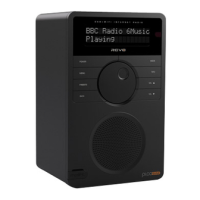
Mode’ is displayed on BLIK’s LCD display.
If this is the first time BLIK RadioStation
has been used in DAB Mode, it will scan
for DAB stations in your area and store
them in memory. BLIK will also set its
clock at this point.
When the station scan has been
completed, stations will be displayed in
numeric then alphabetic order. The first
station in the list will be selected.
If no DAB signal is found, it may be
necessary for you to relocate your radio.
Or visit
www.ukdigitalradio.com/coverage
to check that DAB coverage is available in
your area.
Select your station choice by using the
and cursor keys, scroll through the
station list and press SELECT or the
key to make your selection.
DAB Mode
To Change the Display Mode
BLIK has nine different display modes.
Simply press the INFO button to cycle
through each mode. These display modes
are explained in the table opposite:


 To Next Page
 Loading...