
 To Next Page

A
Amanda PerezAug 2, 2025
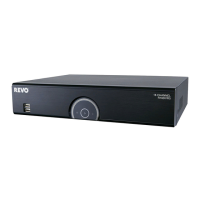
How to fix a Revo R16DVR5 that has no power?
- EErik NguyenAug 2, 2025
If your Revo DVR is not powering on, check the power cord connections and confirm that there is power at the outlet.

How to fix a Revo R16DVR5 that has no power?
If your Revo DVR is not powering on, check the power cord connections and confirm that there is power at the outlet.
What to do if Revo R16DVR5 DVR keeps rebooting during system upgrade?
If your Revo DVR keeps rebooting and the upgrade fails during a system upgrade, it may be because the current system version is higher than the upgrade package file version. You should reset the DVR first using the Factory Reset. Keep in mind that when using the Factory Reset, you will lose any settings you have saved.
How to troubleshoot no live video on Revo R16DVR5?
If you are experiencing no live video on your Revo DVR, here are a few things you can check: * Check the camera video cable and connections. * Check the monitor video cable and connections. * Confirm that the camera has power. * Check camera lens settings. * Check the current main monitor resolution.
What does it mean if the icon displays, but the Revo R16DVR5 DVR is not recording?
When the Revo DVR is in the Pre-Event recording mode, the yellow icon displays when there is no event, and the DVR is not recording. The red icon displays when any event occurs and the DVR starts recording.
Describes the DVR's capabilities, specifications, and key features.
Covers package contents, required tools, and connection ports.
Describes the DVR's physical controls and remote interface functions.
Guides first-time setup and system parameters configuration.
Configures General, Date/Time, User, and Storage settings.
Configures Schedule, Motion, Alarm, and Text-In event settings.
Configures Camera, PTZ, Alarm-Out, LAN, and Remote access.
Configures Mail, Schedule, OSD, and Main Monitor display settings.
Viewing live camera feeds and navigating the live menu.
Covers Login, Camera Menu, Search, and Status options.
Viewing and searching recorded footage.
Navigating and utilizing various search features.
Searching logs and motion-detected events.
Searching text data and managing playback markers.
Demonstrates practical usage of text search functionality.
Provides solutions for common operational issues and problems.
Details the technical specifications and hardware information of the DVR.
 General
| Model | Revo R16DVR5 |
|---|---|
| Video Outputs | HDMI, VGA, BNC |
| Recording Resolution | Up to 1080p |
| Compression Format | H.264 |
| Power Supply | 12V DC |
| Operating System | Embedded Linux |
| Video Inputs | 16 channels |
| Hard Drive Support | Up to 6TB |
| Network Connectivity | Ethernet |
| Alarm Input/Output | 4 In/1 Out |
| Operating Temperature | -10°C to 55°C |