8
EN
360° Flip Mode
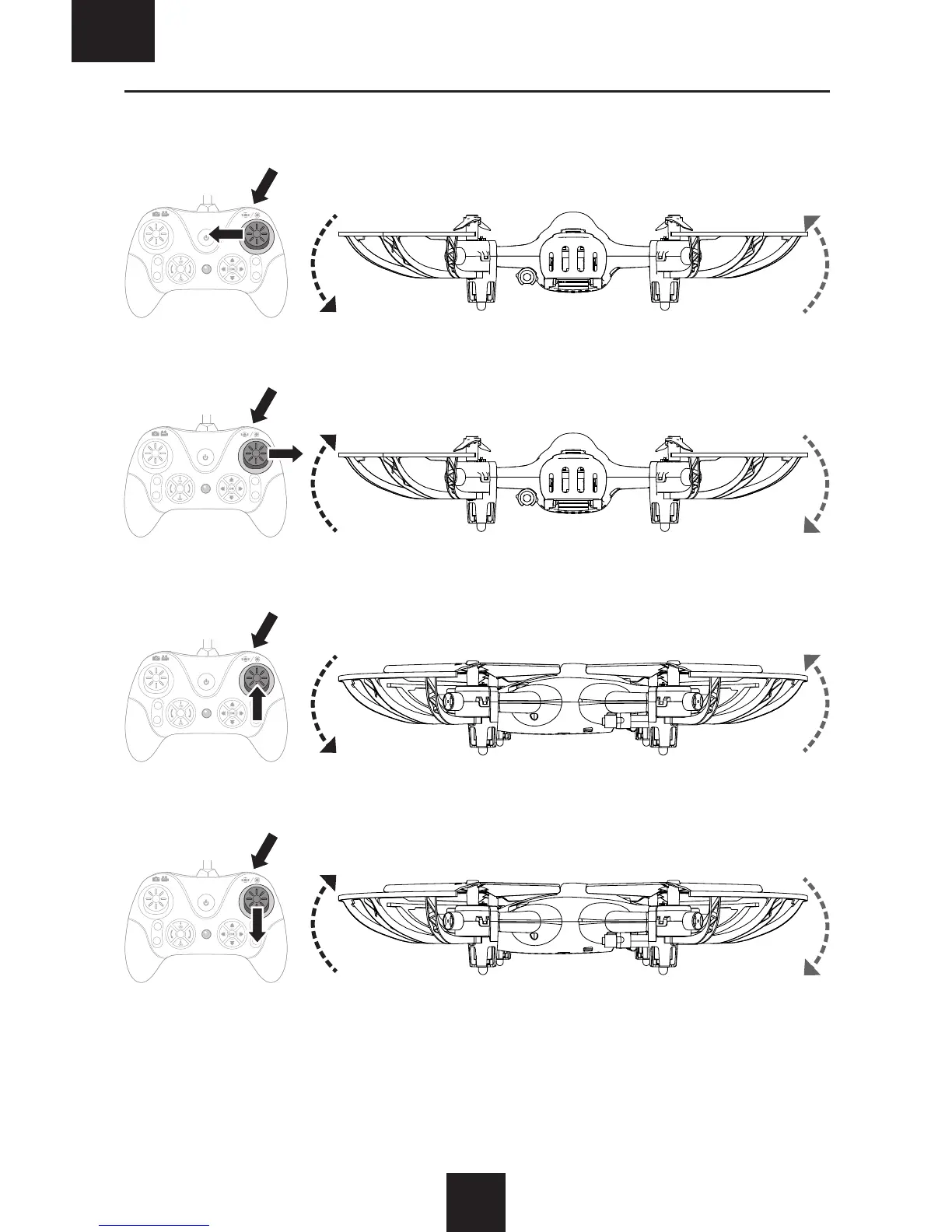
The Vizo drone can flip 360° during flight. To perform a flip, press the FLIP button and use the right control stick to give a
directional flip command. For optimal results, ensure the drone is at least 5–10 feet (1.5–3 m) off the ground.
Press the FLIP button. Push the CONTROL stick DOWN then back to center.
Press the FLIP button. Push the CONTROL stick UP then back to center.
Press the FLIP button. Push the CONTROL stick RIGHT then back to center.
Press the FLIP button. Push the CONTROL stick LEFT then back to center.
Left Side View
Left Side View


 To Next Page