GB
REVOX H1
nÄ/ox
.]]:].l]iii.]:i.r]]
[18]
l19t20l
PHONES
VOLUME
-/+
PLAYING
TIME
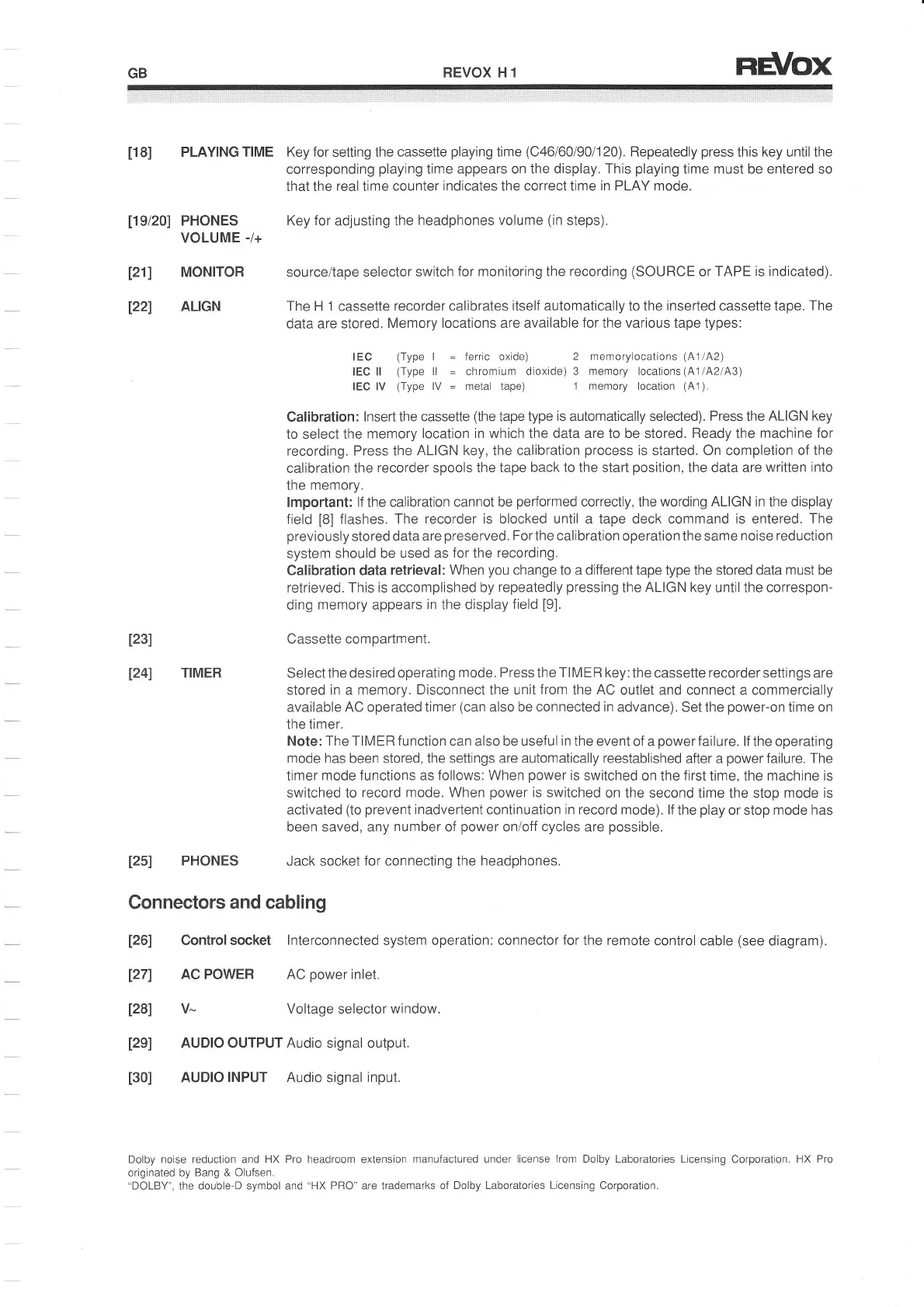
Key for setting the
cassette
playing
time
(C46l60/90/120).
Repeatedly
press
this
key
until the
corresponding
playing
time appears on the display.
This
playing
time must be entered so
that the real time counter indicates the correct time
in
PLAY mode.
l21l
l22l
123)
I24l
MONITOR
ALIGN
TIMER
IEC
(Type
I
IEC ll
(Type
ll
IEC lV
(Type
lV
=
Key for adjusting
the headphones
volume
(tn
steps).
source/tape
selector switch
for monitoring the recording
(SOURCE
or
TAPE is indicated).
The H 1
cassette
recorder calibrates
itself automatically to the inserted cassette tape.
The
data are stored.
Memory
locations are available
for
the various tape types:
ferric
oxide)
2 memorylocations
(41/42)
chromium dioxide) 3
mernory
locations
(41/42143)
metal tape)
1 memory location
(41).
Calibration:
lnsert the cassette
(the
tape
type
is
automatically selected). Press the
ALIGN key
to select the
memory
location in which the data are to be stored. Ready the
machine for
recording. Press the
ALIGN key, the calibration
process
is started. On completion of the
calibration the
recorder spools
the tape back to the start
position,
the data are
written into
the
memory.
lmportant:
lf
the calibration
cannot be
performed
correctly, the
wording ALIGN in the display
field
[8]
flashes.
The recorder is
blocked
until a tape
deck command
is entered.
The
previously
stored data are
preserved.
For
the calibration operation the same noise
reduction
system
should be used as
for the recording.
Calibration
data
retrieval: When
you
change to a different tape type the stored data must be
retrieved. This
is
accomplished
by repeatedly
pressing
the ALIGN key untilthe correspon-
ding memory appears
in the display
field
[9].
Cassette compartment.
Select the desired
operating mode.
Press
the
TIME R
key:the
cassette
recorder
settings are
stored
in
a
memory.
Disconnect
the unit
irom
the
AC
outlet and connect
a
commercially
available AC operated timer
(can
also be
connected in
advance). Set the
power-on
time on
the timer.
Note: The TIMER
f
unction can also be usef
ul in
the event of a
power
failure. lf
the operating
mode has been stored, the settings are
automatically reestablished
after
a
power
failure. The
timer
mode functions as follows: When
power
ls
switched on the first
time, the
machine is
switched to
record mode. When
power
is switched
on the second
time the stop
mode is
activated
(to
prevent
inadvertent continuation in record mode).
lf the
play
or stop
mode has
been
saved, any
number
of
power
on/off cycles are
possible.
Jack socket
for
connecting the
headphones.
1251
PHONES
Connectors
and
cabling
Control socket
lnterconnected
system operation: connector
for
the remote
control cable
(see
diagram).
AC POWER AC
power
inlet.
V- Voltage
selector
window.
AUDIO OUTPUT Audio signal output.
AUDIO INPUT Audio signal input.
126l
l27l
[28]
[2e]
[30]
Dolby noise reduction and HX Pro headroom exlension
manufactured
under
license from Dolby Laboratories Licensing
Corporation.
HX Pro
originated by
Bang
&
olufsen.
.DOLBY",
the
double D symbol and
"HX
PRO" are trademarks of
Dolby Laboratories Licensing
Corporation.


 To Next Page
 Loading...