9
1.4 Status Bar
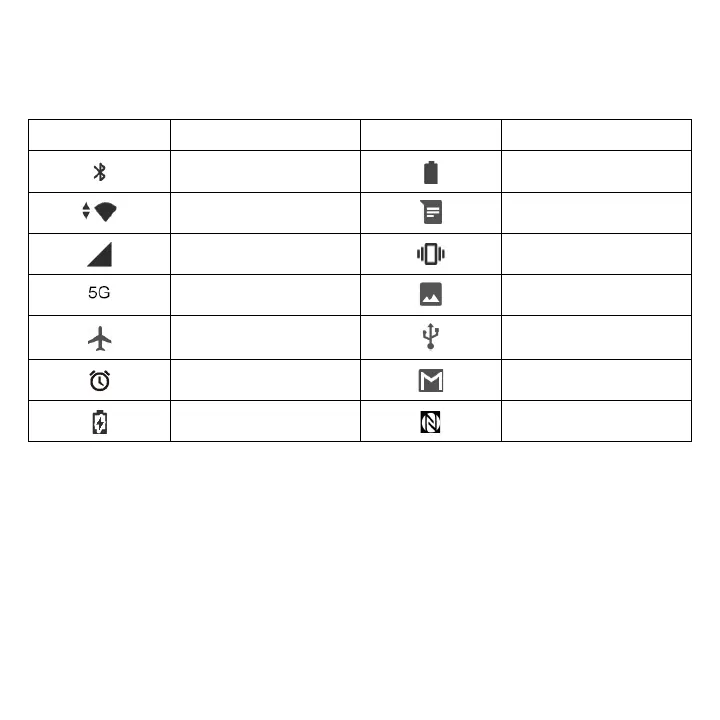
The Status bar appears at the top of your Home screen. Icons indicating your phone's status and new
notification alerts appear in the Status bar.
Icon Status Icon Status
Bluetooth
®
active Battery (fully charged)
Wi-Fi
®
active New message
Network (full signal) Vibrate mode
5G data service Screenshot captured
Airplane mode Connected via USB cable
Alarm set New Gmail message
Battery (charging) NFC is on


 To Next Page