5
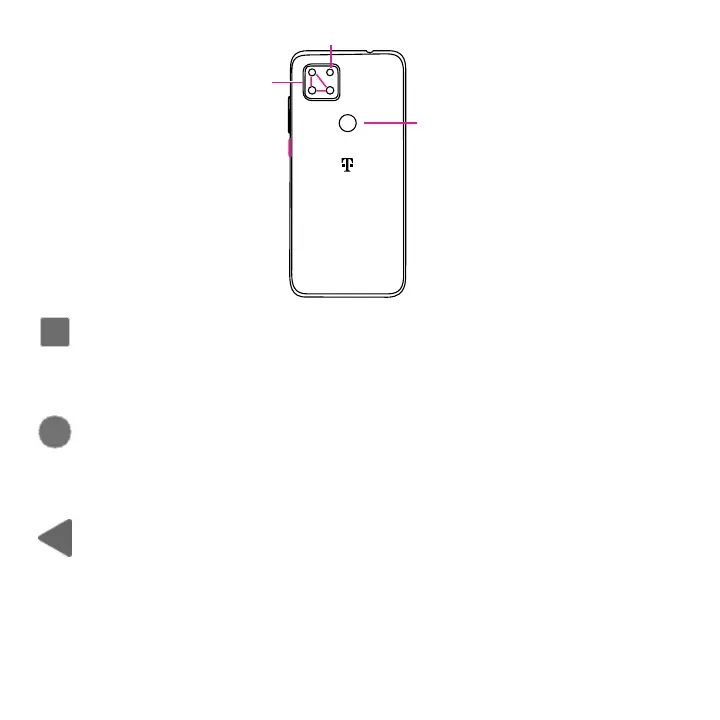
Fingerprint sensor
Back camera
Flash
Recent Apps button
• Touch to open a card view of applications you've worked with recently. Swipe up on the screen
to remove a specific thumbnail from the list, or touch CLEAR ALL to remove all thumbnails from
the list.
Home button
• From any application or screen, touch to return to the Home screen.
• Touch and hold to open Google Assistant. Through this function, you can search for
information online, open apps on your phone, send messages, etc.
Back button
• Touch to go back to the previous screen, or close a dialog box, options menu, the Notification
panel, etc.


 To Next Page