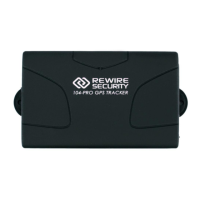
Need help?
Do you have a question about the REWIRE SECURITY SpyTrack Nano and is the answer not in the manual?
Conform to local electrical safety codes and ground the tracker to reduce shock risk.
Avoid heavy stress, vibrations, and moisture during transit and storage.
All repairs must be done by qualified engineers or Rewire Security's tech support.
Keep the tracker in a cool, dry place away from direct sunlight and flammable materials.
Clean dust with an air blower or microfiber cloth. Use only recommended accessories.
Observe relevant laws; Rewire Security is not liable for misuse or consequences.
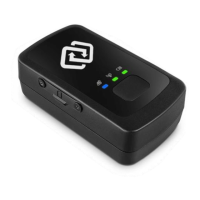
Compact asset tracking device with GNSS/GPS capabilities for personal and business use.
Features include 10-day standby, multiple connectivity, geo-fencing, SOS, and alerts.
Highlights include real-time tracking, small form factor, multi-device access, and 1-year warranty.
Package contains tracker, USB cable, pre-installed SIM card, and quick start guide.
The SIM card is pre-installed; contact support for any issues.
Connect the charger to the USB port and a power source; check LED indicators for status.
Press the power button to turn on; press and hold to turn off. Monitor LEDs for signal status.
Purchase a service plan, activate via the website, and use provided credentials to log in.
Place near a window for good signal reception; avoid submerged locations.
Access the online portal to track your GPS device; included with the service plan.
Log in using activation email details and change your password in the 'My Account' settings.
Contact customer support at info@rewiresecurity.co.uk if you did not receive a password.
Blinking blue GPS light indicates no signal; ensure a clear view of the sky.
Battery lasts up to 10 days, but may deplete faster with increased activity.
Battery status is visible on the Spytrack portal; no direct device indication.
Use your associated email during activation to automatically add a second tracker.
Change update frequency in 'Device Settings' on the Spytrack Platform or APP.
 General
| GPS Accuracy | 2.5 meters |
|---|---|
| Water Resistance | IP67 |
| Charging Time | 2-3 hours |
| Compatibility | iOS and Android |
| Battery Life | Up to 14 days |
| Connectivity | 4G LTE |
| Operating Temperature | -4°F to 140°F |
| Tracking Technology | GPS, Wi-Fi |

 To Next Page