7 | RAINBOW SRX
Power and Control at Your Fingertips
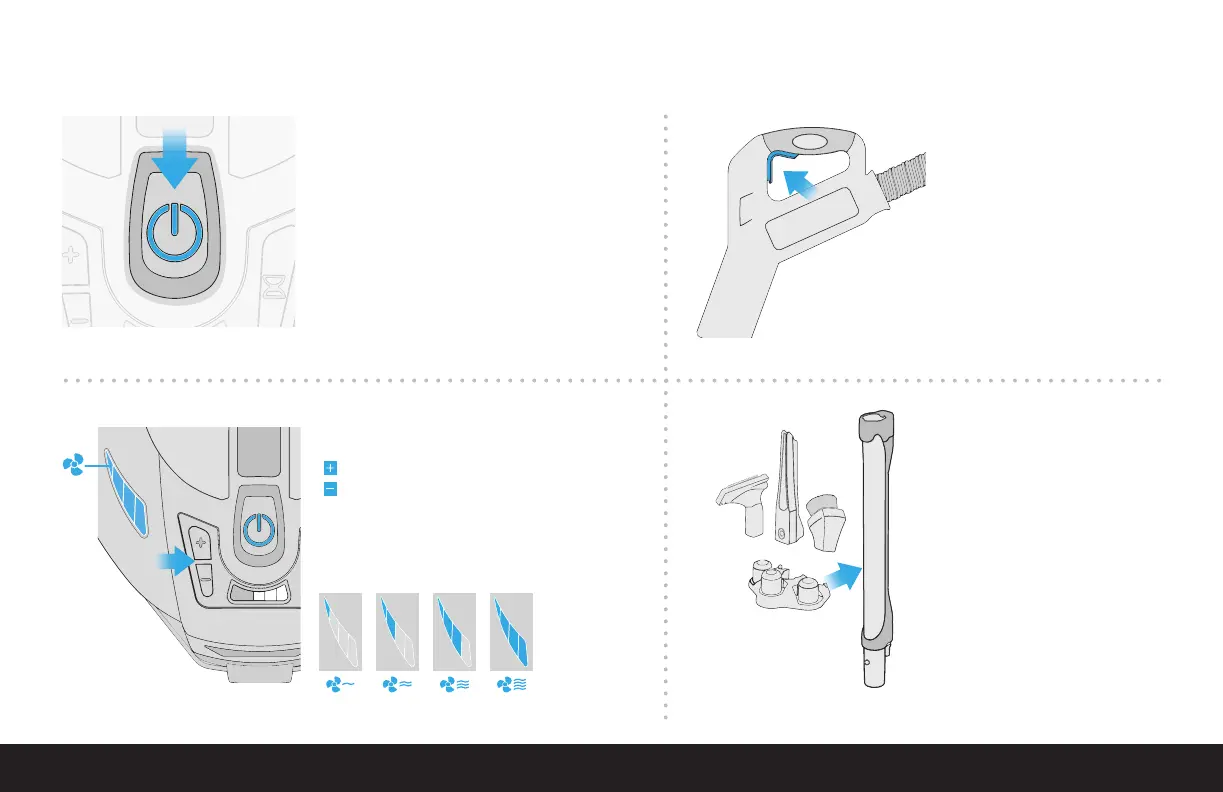
Attachment Caddy
Bring along your most used tools as
you clean from room-to-room using
the convenient onboard Attachment
Caddy. Attach to the front of the
Rainbow by slipping over the front of
the housing into notches located on
either side. Press downward to lock
in place. Attachments are stored by
slipping them over the posts on the
caddy. The attachment caddy can
also be attached to the wand.
Handle Trigger
Pull up on trigger to activate
the electrified hose when using
the optional Power Nozzle,
RainbowMate, RainJet, MiniJet or
AquaMate.
Power Switch
To power on the unit, press down on the main power
button. The Rainbow will always start in high speed.
To power off the unit, press down on the main power
button.
Airow Indicator Lights
Fan speed levels:
4-Level Airow Control
Press to increase fan speed
Press to decrease fan speed


 To Next Page