OWNER’S MANUAL | 10
Troubleshooting Guide
!
CAUTION: Always clean attachments before using on fabrics. To avoid abrasions to
delicate surfaces, keep the dusting brush bristles clean.
!
CAUTION: Do not use attachments to clean flat-screen televisions or computer screens.
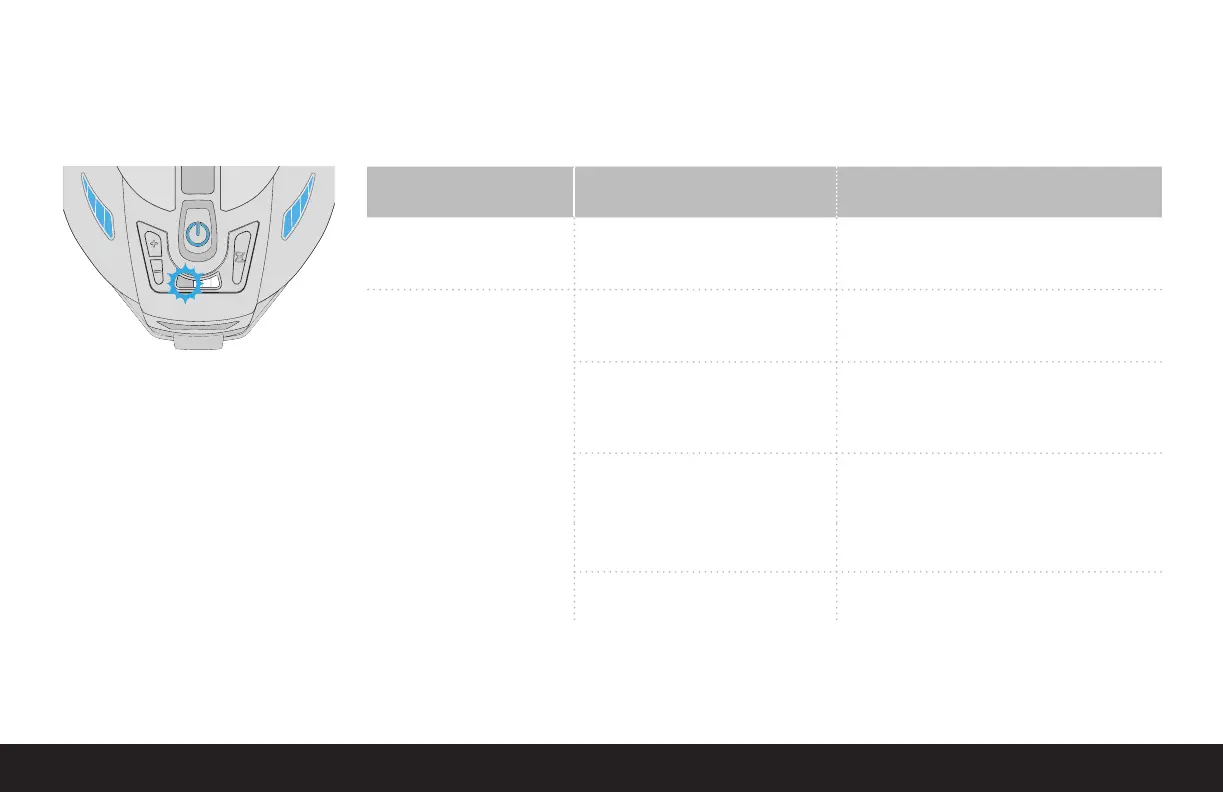
INDICATOR
LIGHT CODE
POTENTIAL CAUSE CORRECTIVE ACTION
Blinking Light Power Nozzle brush roller
is obstructed.
Turn unit off / unplug unit.
Remove debris from Power Nozzle brush roller.
Resume normal operation.
Continuous Solid Light Electrical connections are wet. Turn unit off / unplug unit.
Dry electrical connections.
Resume normal operation.
Water basin is overfilled. Turn unit off / unplug unit.
Remove water basin.
Verify that water level is even with the rounded post in
the inside center of the water basin.
Operating motor temperature is high. Turn unit off / unplug unit.
Allow unit to cool off for 5 minutes.
Check for clogged hose, filter or Power Nozzle.
Main unit is not latched to
water basin.
Latch main unit to water basin.
Motor cannot spin due to debris between
motor housing and separator.
Clean around the separator.
Your Rainbow
®
is equipped with features to sense and alert the user to abnormal conditions. The red fault light to the left of the timer lights will either illuminate solid or blink,
depending on the system affected.
A BLINKING LIGHT represents an issue with the
hose or powered accessories.
A SOLID LIGHT represents an issue with the main
canister unit.
If the corrective action does not fix the problem:
Contact an Authorized Rainbow
®
Distributor or Service Center.


 To Next Page