Professional Radio Control
DS-PROTRAP-4
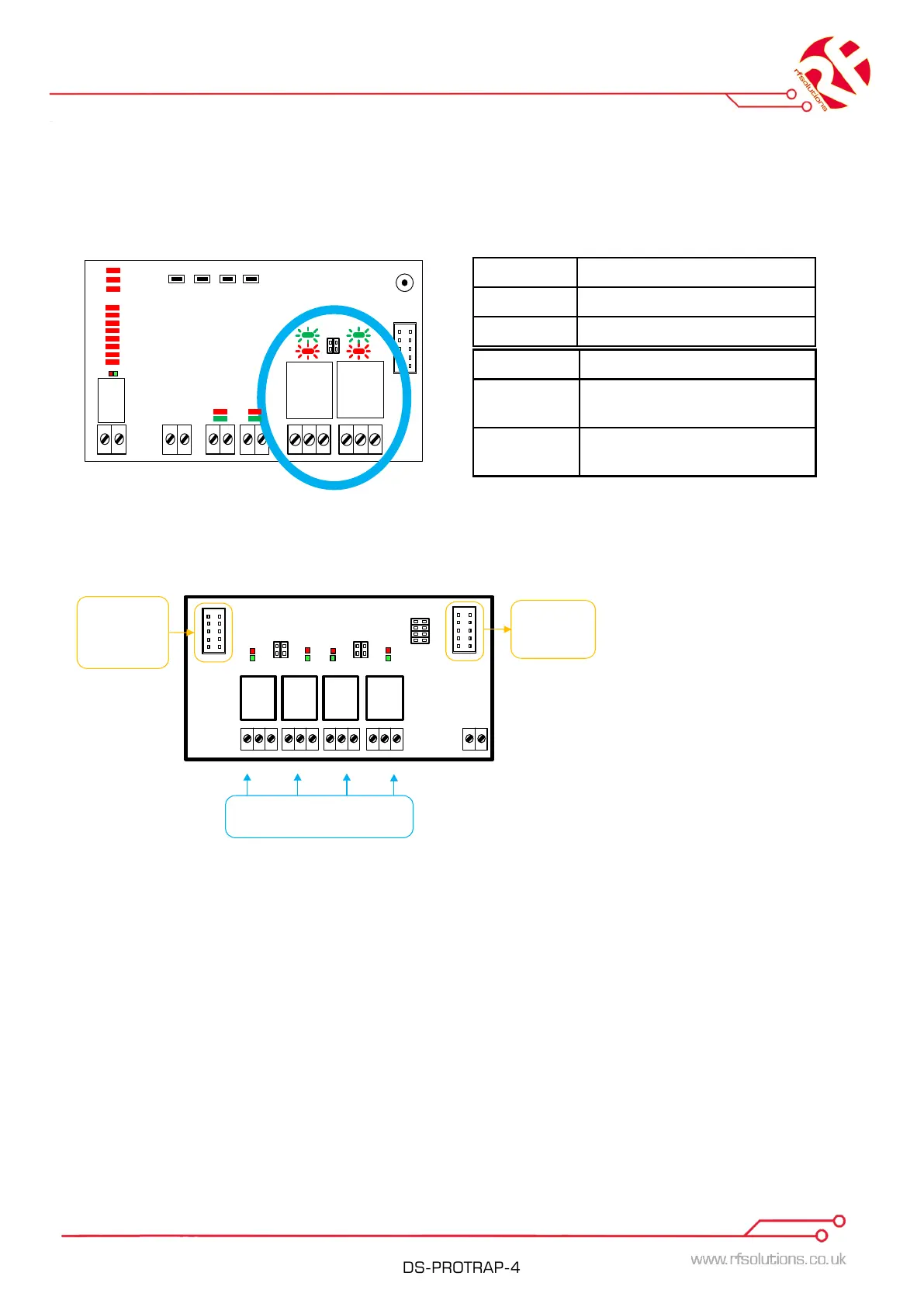
OUTPUTs Status LEDs
When the receiving 725TRX gets a valid signal from a paired device it will activate an output.
The status of active relays will be displayed on their corresponding LED’s.
Power
Tx
Rx
50%
100%
10%
Strength
1
2
NO COM NC NO COM NC
WATCHDOG
Timer
WatchDog Mode Pair
RED LED Feedback from Receiver
OFF The paired 725TRX Output is
paired with this output
Flashing Relay is unpaired with any
Receiver output
GREEN LED Status of Output
ON Relay is Active / ON
OFF Relay is inactive / OFF
725-OP Additional Outputs Module
Output 1
Connect
To Further
Modules
Connect
From
Previous
Modules
Changeover Relay Contact
Outputs
Output 2 Output 3 Output 4
Optional
Power in
9-32V
ac or dc
- +
NO COM NCNO COM NC
NO COM NCNO COM NC
Address
Address settings
Each module must have a unique address set by the Address jumpers (it doesn't matter
what the address is).
NOTE: outputs will cycle in address order for pairing, timers and erasing.
Connect to 725TRX
Connect to the 725TRX or previous 725-OP module using the ribbon cable provided.
Note: When connecting more than one 725-OP module the power must be connected
directly to the 725-OP module screw terminals.


 To Next Page